






Design Mupi Design Mupi
Design Shop
  • Homepage
  • News
  • Creative
  • Tech
  • AI
  • Resources
    • Graphics
    • Fonts
    • Mockups
    • Icons
    • Illustrations
    • Templates
    • Photography
    • Backgrounds
    • Add-Ons
    • Freebies
  • Spotlight
    • Featured
    • Inspiration
    • Art
    • Web Design
    • Branding
    • Packaging
    • Ads
    • Entertainment
    • Blogging
    • Trends
    • Tips
    • Tutorials
    • Deals
    • Miscellaneous
Design Mupi Design Mupi
  • Homepage
  • News
  • Creative
  • Tech
  • AI
  • Resources
    • Graphics
    • Fonts
    • Mockups
    • Icons
    • Illustrations
    • Templates
    • Photography
    • Backgrounds
    • Add-Ons
    • Freebies
  • Spotlight
    • Featured
    • Inspiration
    • Art
    • Web Design
    • Branding
    • Packaging
    • Ads
    • Entertainment
    • Blogging
    • Trends
    • Tips
    • Tutorials
    • Deals
    • Miscellaneous
Popular Posts
Lightning fonts cover
13 Lightning fonts that will electrify your designs
July 31, 2025
225 Views
A robot fonts cover
25 Advanced robot fonts for best sci-fi designs
August 29, 2025
221 Views
Smirnoff Flavours
Bulletproof unites identity and culture with ‘Smirnoff flavours’
December 26, 2025
203 Views
30 Iconic Liquid Glass ‘iOS 26’ designs
October 1, 2025
198 Views
An condensed fonts cover
27 Best condensed fonts to create a sleek style
August 11, 2025
194 Views
A tumbler mockup cover
35 Tumbler mockup templates to elevate your beverage branding
December 17, 2025
188 Views
Follow Us
Search the Site
Popular Searches:
iPhone Artificial Intelligence Smartphones
Recent Posts
Apple Creator Studio Apps
Apple launches ‘Creator Studio’ app suite for $12.99 per month
January 13, 2026
Apple and Google Deal
Apple has chosen Google as a long-term partner to provide AI features
January 13, 2026
GT Canon Typeface
Grilli Type releases the ‘GT Canon’ new typeface
January 13, 2026
Design Mupi Design Mupi
  • Homepage
  • News
  • Creative
  • Tech
  • AI
  • Resources
    • Graphics
    • Fonts
    • Mockups
    • Icons
    • Illustrations
    • Templates
    • Photography
    • Backgrounds
    • Add-Ons
    • Freebies
  • Spotlight
    • Featured
    • Inspiration
    • Art
    • Web Design
    • Branding
    • Packaging
    • Ads
    • Entertainment
    • Blogging
    • Trends
    • Tips
    • Tutorials
    • Deals
    • Miscellaneous
Design Mupi Design Mupi
  • Homepage
  • News
  • Creative
  • Tech
  • AI
  • Resources
    • Graphics
    • Fonts
    • Mockups
    • Icons
    • Illustrations
    • Templates
    • Photography
    • Backgrounds
    • Add-Ons
    • Freebies
  • Spotlight
    • Featured
    • Inspiration
    • Art
    • Web Design
    • Branding
    • Packaging
    • Ads
    • Entertainment
    • Blogging
    • Trends
    • Tips
    • Tutorials
    • Deals
    • Miscellaneous
Popular Posts
Lightning fonts cover
13 Lightning fonts that will electrify your designs
July 31, 2025
225 Views
A robot fonts cover
25 Advanced robot fonts for best sci-fi designs
August 29, 2025
221 Views
Smirnoff Flavours
Bulletproof unites identity and culture with ‘Smirnoff flavours’
December 26, 2025
203 Views
30 Iconic Liquid Glass ‘iOS 26’ designs
October 1, 2025
198 Views
An condensed fonts cover
27 Best condensed fonts to create a sleek style
August 11, 2025
194 Views
A tumbler mockup cover
35 Tumbler mockup templates to elevate your beverage branding
December 17, 2025
188 Views
Follow Us
Search the Site
Popular Searches:
iPhone Artificial Intelligence Smartphones
Recent Posts
Apple Creator Studio Apps
Apple launches ‘Creator Studio’ app suite for $12.99 per month
January 13, 2026
Apple and Google Deal
Apple has chosen Google as a long-term partner to provide AI features
January 13, 2026
GT Canon Typeface
Grilli Type releases the ‘GT Canon’ new typeface
January 13, 2026
Home/Inspiration/30 Iconic Liquid Glass ‘iOS 26’ designs
Inspiration

30 Iconic Liquid Glass ‘iOS 26’ designs

Liquid Glass is the new design language for iOS 26. This means that many apps will adopt the new UI philosophy, which may require significant changes to the app’s UI design. Apple’s new...

Martynas
October 1, 2025 8 Min Read
198

Liquid Glass is the new design language for iOS 26. This means that many apps will adopt the new UI philosophy, which may require significant changes to the app’s UI design.
Envato Elements Marketplace

Apple’s new design language, Liquid Glass, takes center stage and is impossible to miss, even if it is subtle at times. Today I want to present to you my Liquid Glass design discoveries on the internet, which will force you to draw conclusions and only tell you whether this design option is good or not.

For my part, I can say that Liquid Glass design is extremely clean, high-quality and looks controversial, it may be something the world has not seen before. I try to unveil some Liquid Glass iOS 26 designs, such as menu navigations, app UI, dashboards, sidebar UI, widgets, buttons and other UI designs, which are adapted to this feature.

You can already enjoy the benefits of Apple Liquid Glass iOS 26 by installing it on your mobile phone, but before doing so, think carefully about whether you really like it, because after installation you will not be able to go back.


Without further ado, let’s jump right into the inspirational list of Liquid Glass iOS 26 designs:
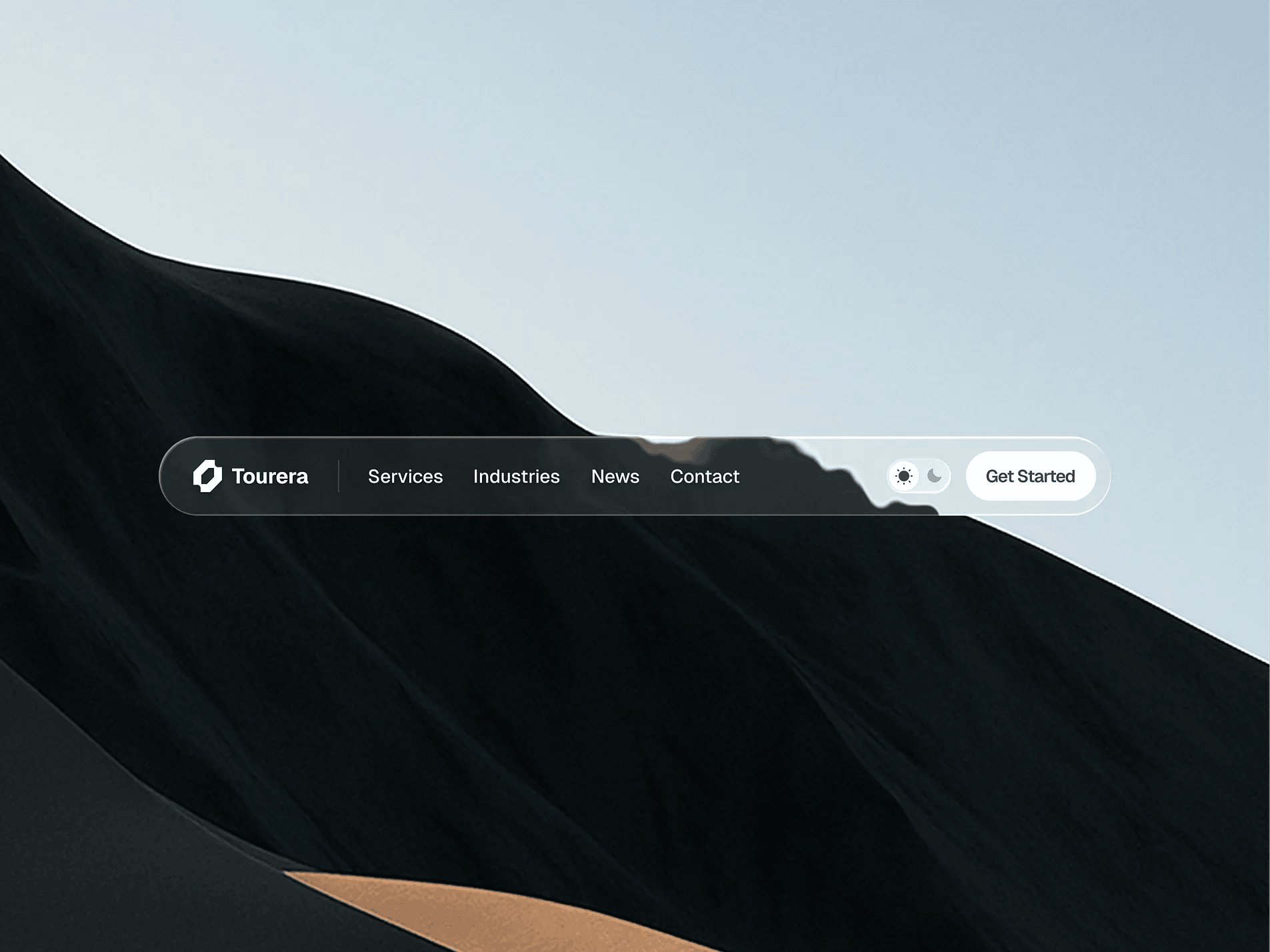
Liquid Glass Navigation
Liquid Glass navigation by Roman Vasylovskyi
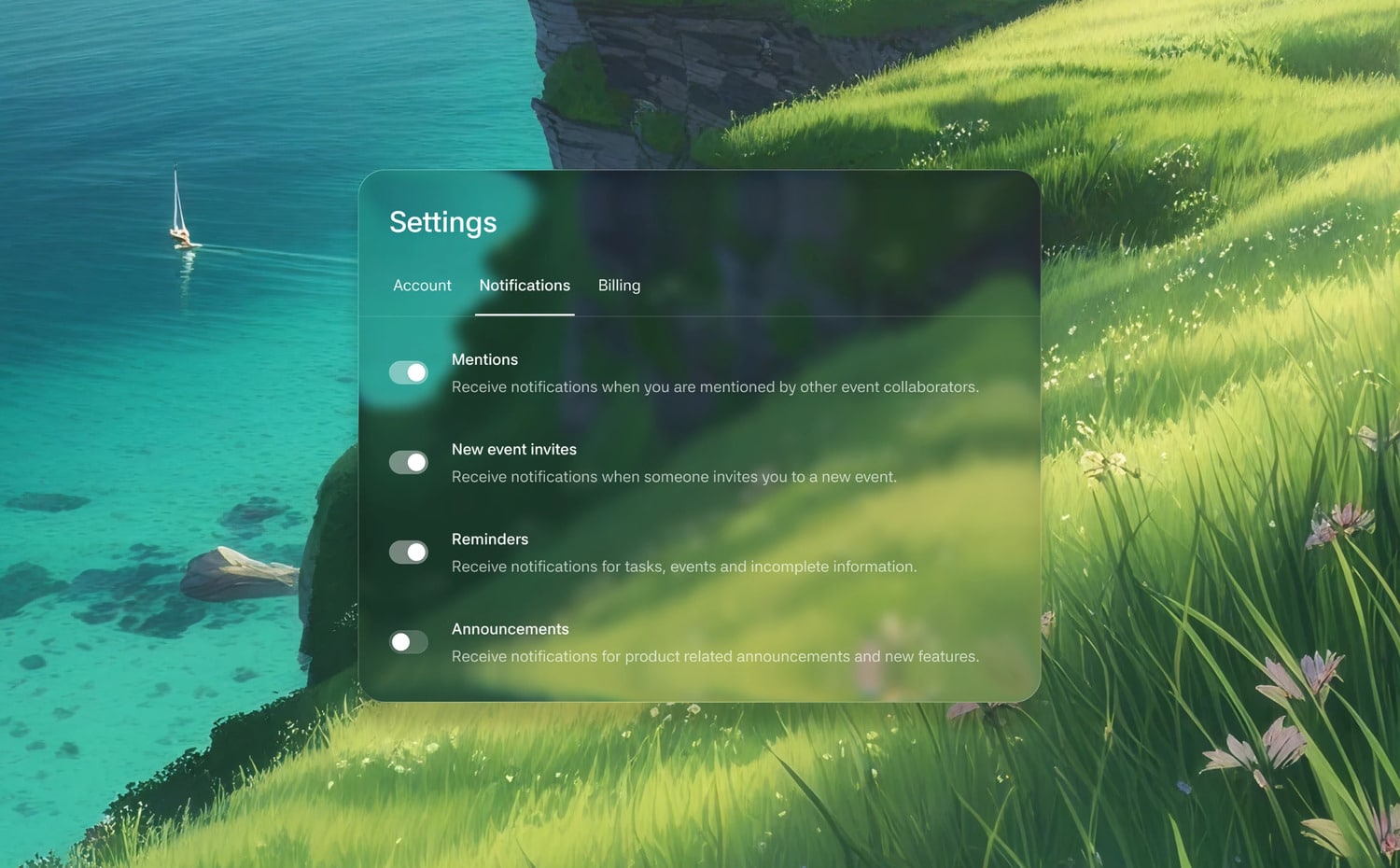
Setting liquid glass UI
Settings liquid glass UI by Sithum Lahiru
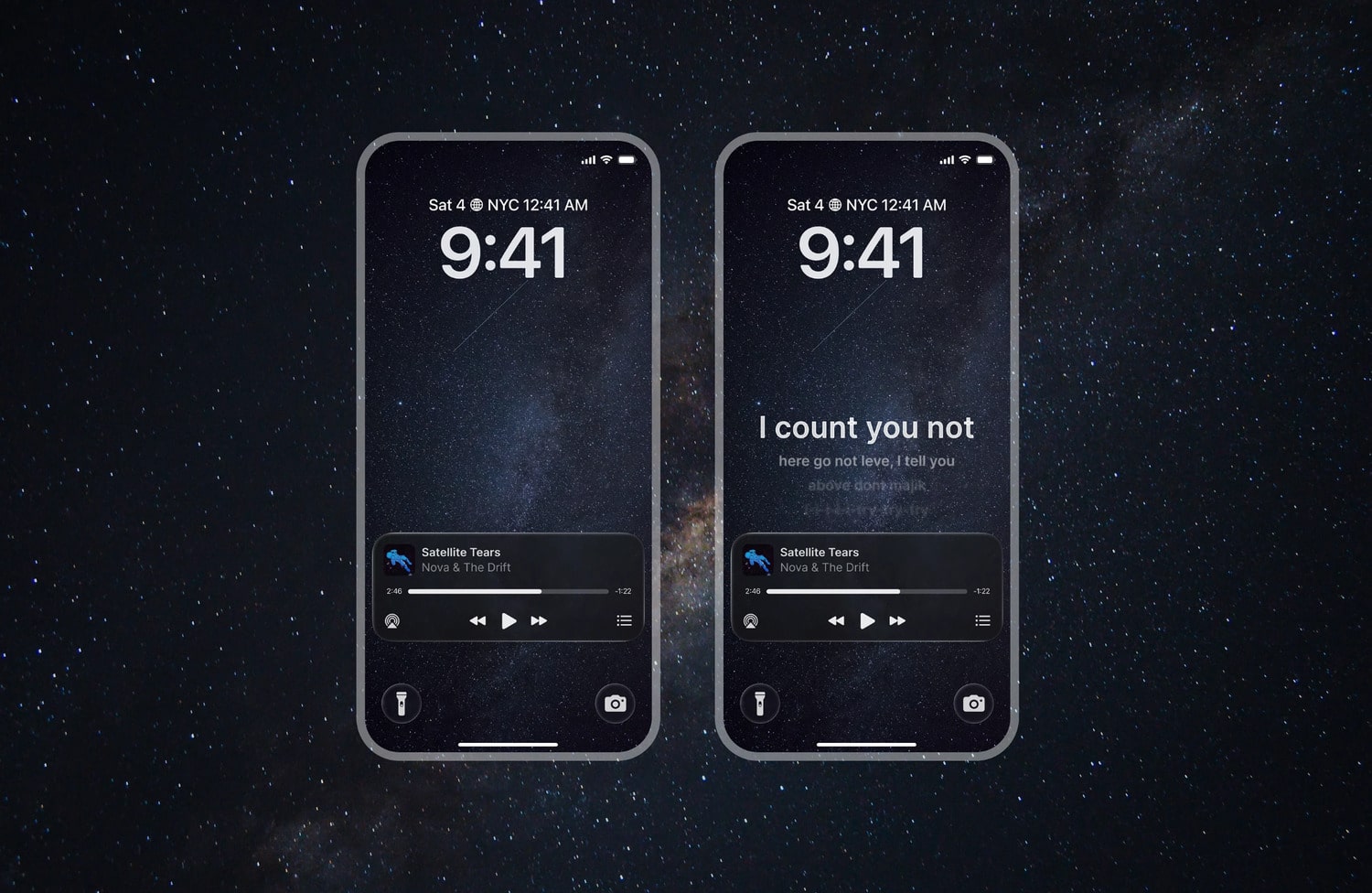
iOs 26 Lock Screen music player
iOS 26 lock screen music player by Omkar Chavan
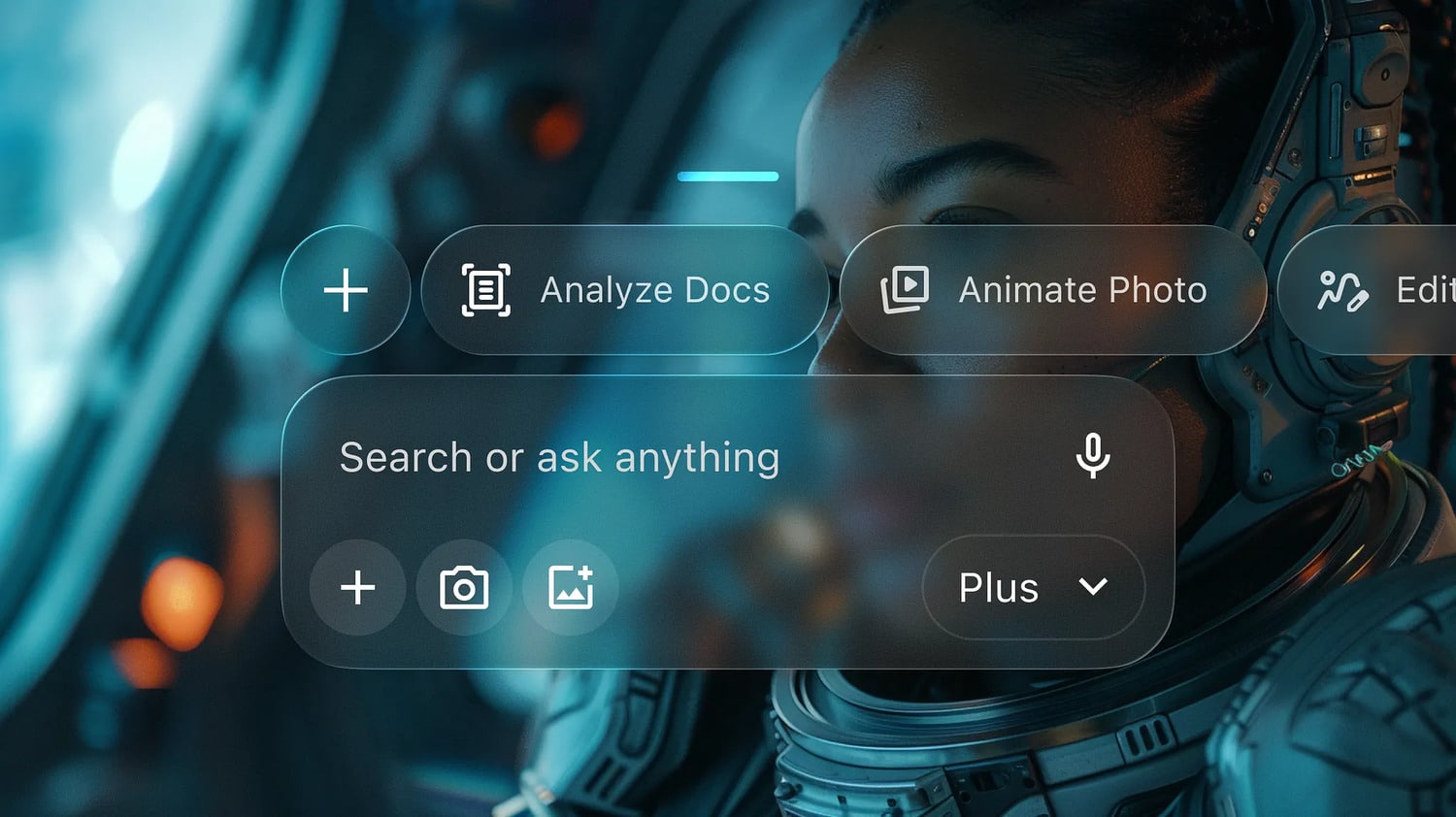
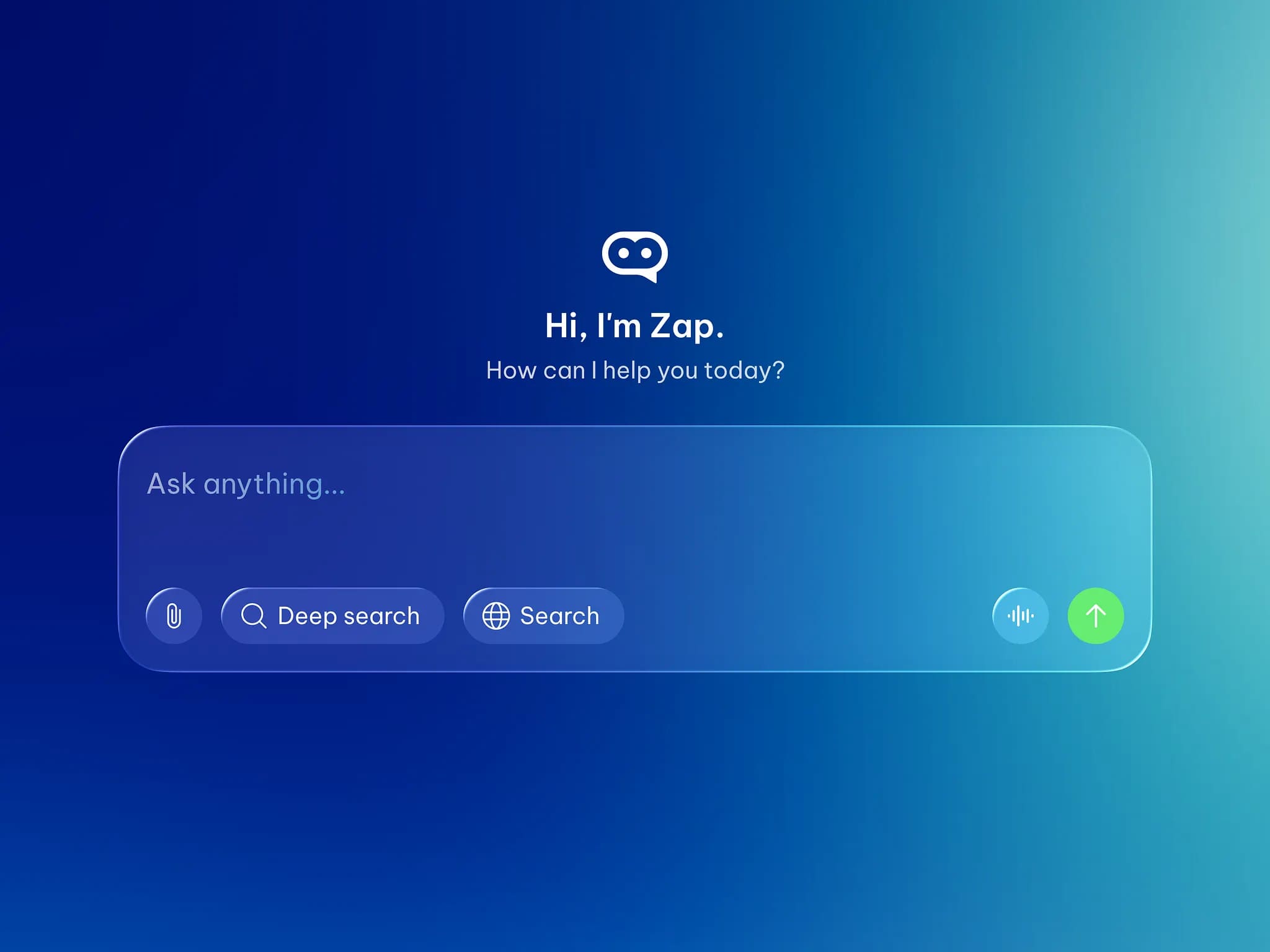
AI App liquid glass
AI app in liquid glass by Roman Vorokhib
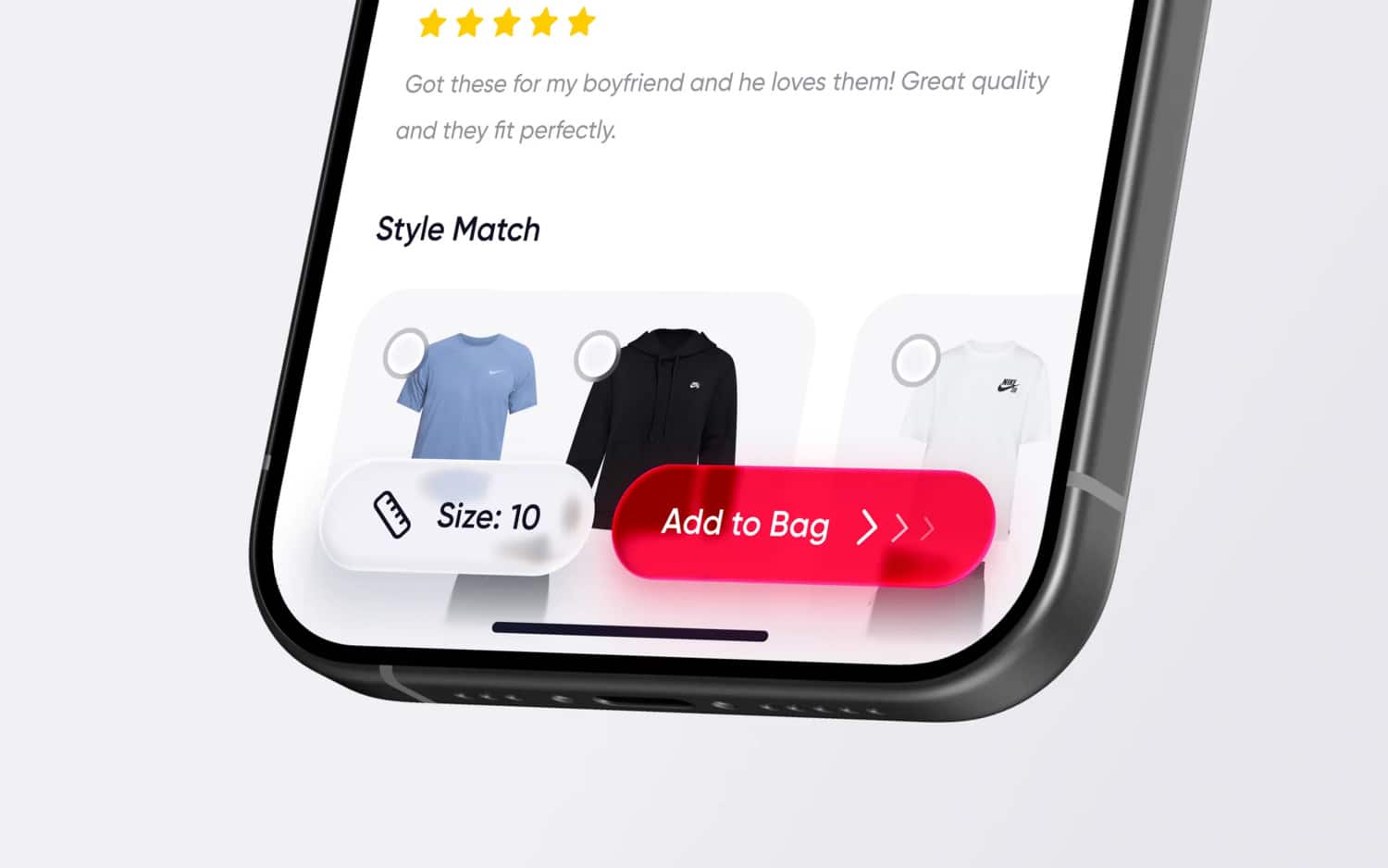
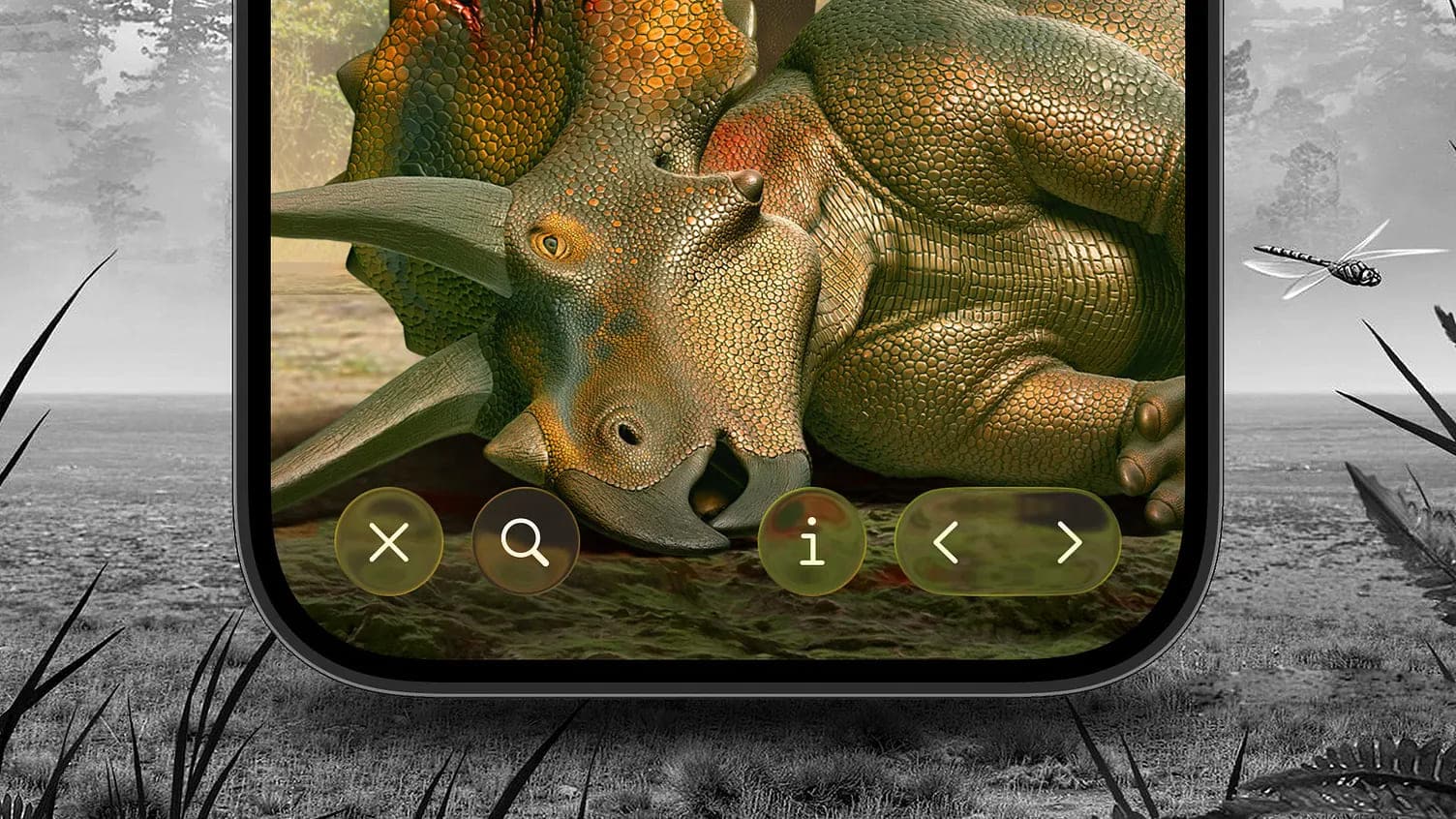
iOS 26 liquid glass buttons
iOS 26 liquid glass buttons by Amirreza Taghavi
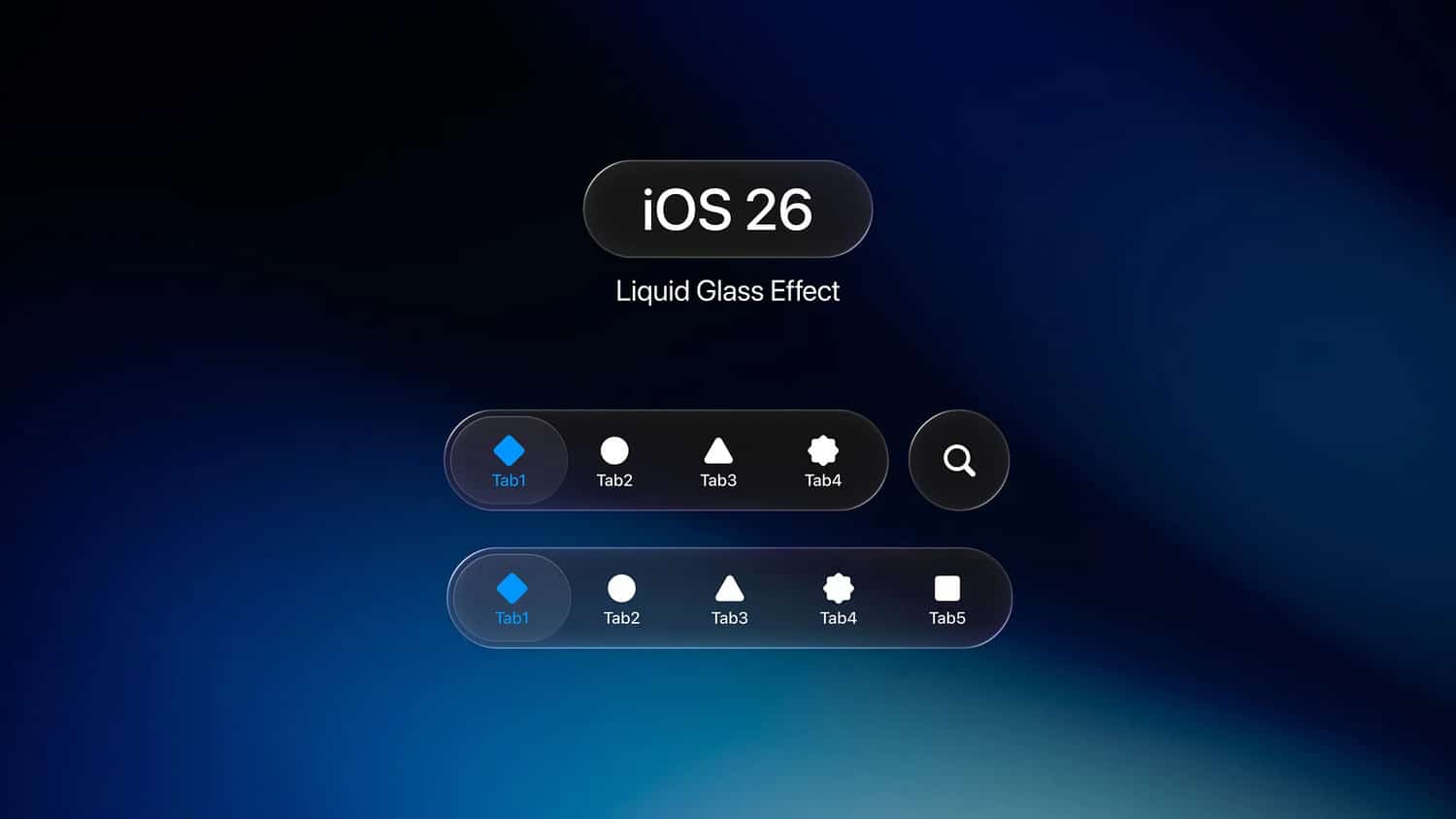
iOS 26 liquid glass effect
iOS 26 liquid glass effect by Muhammad Usama
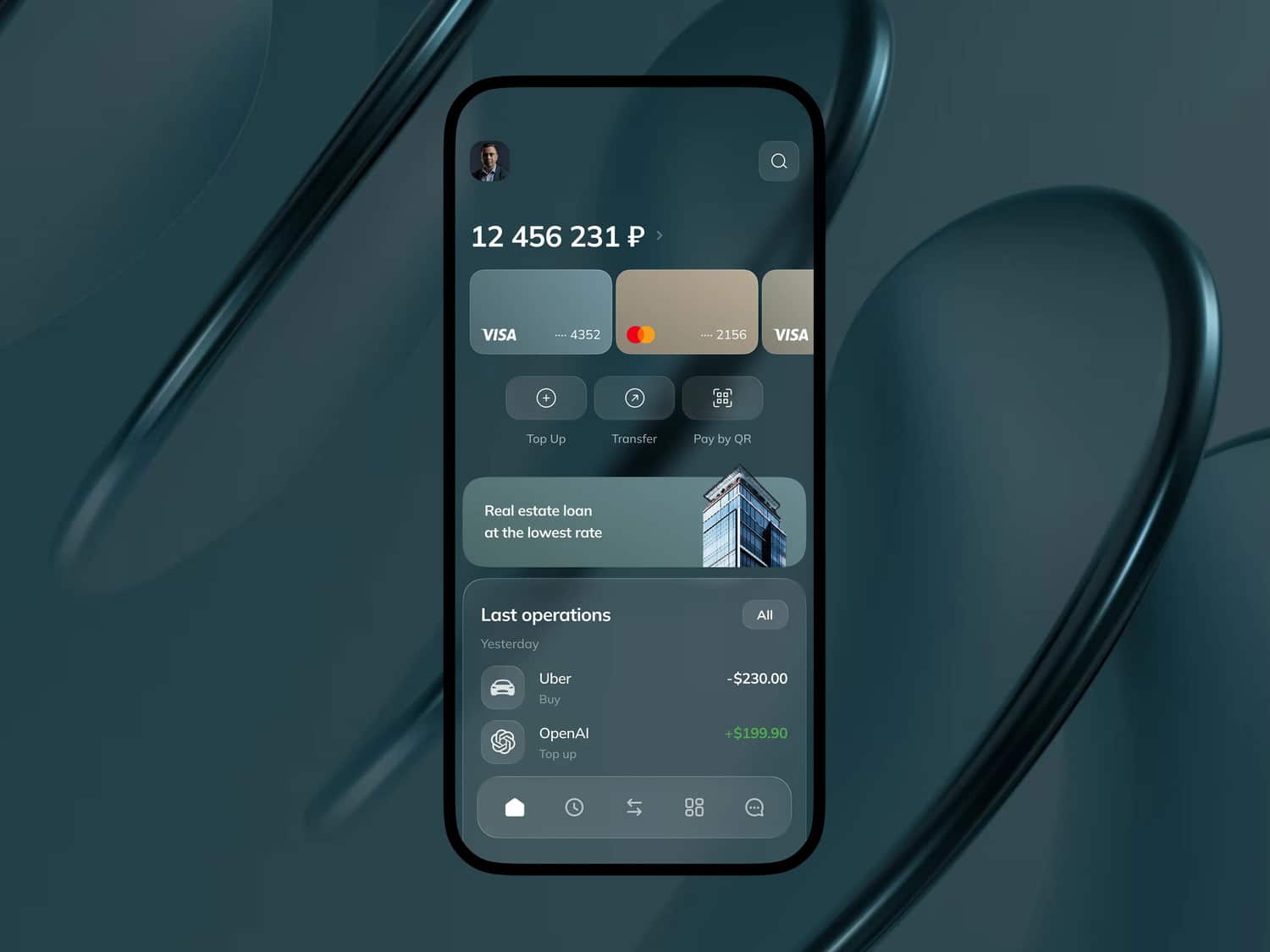
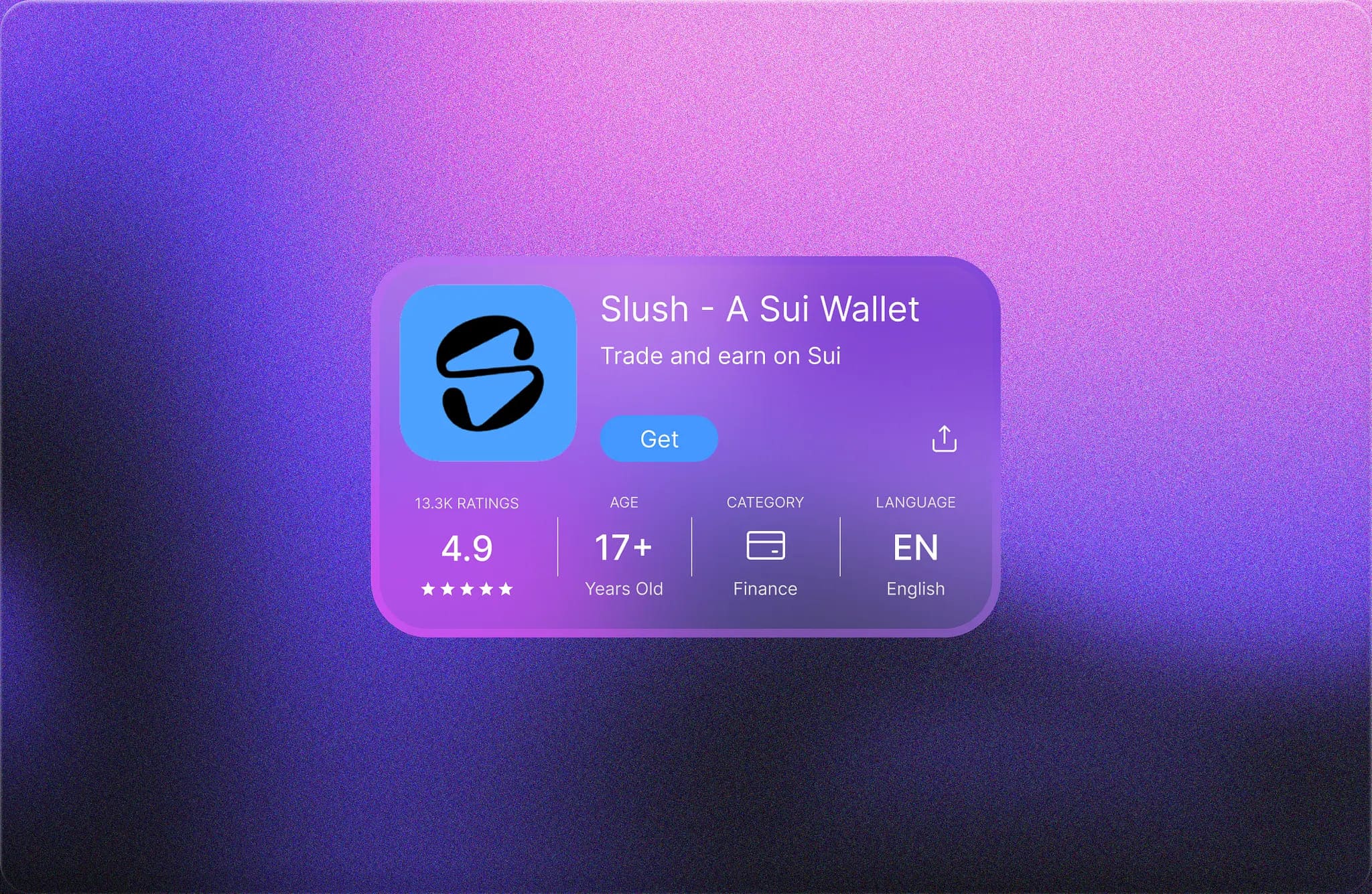
Liquid glass finance app ui
Liquid glass finance app UI by Make Smth
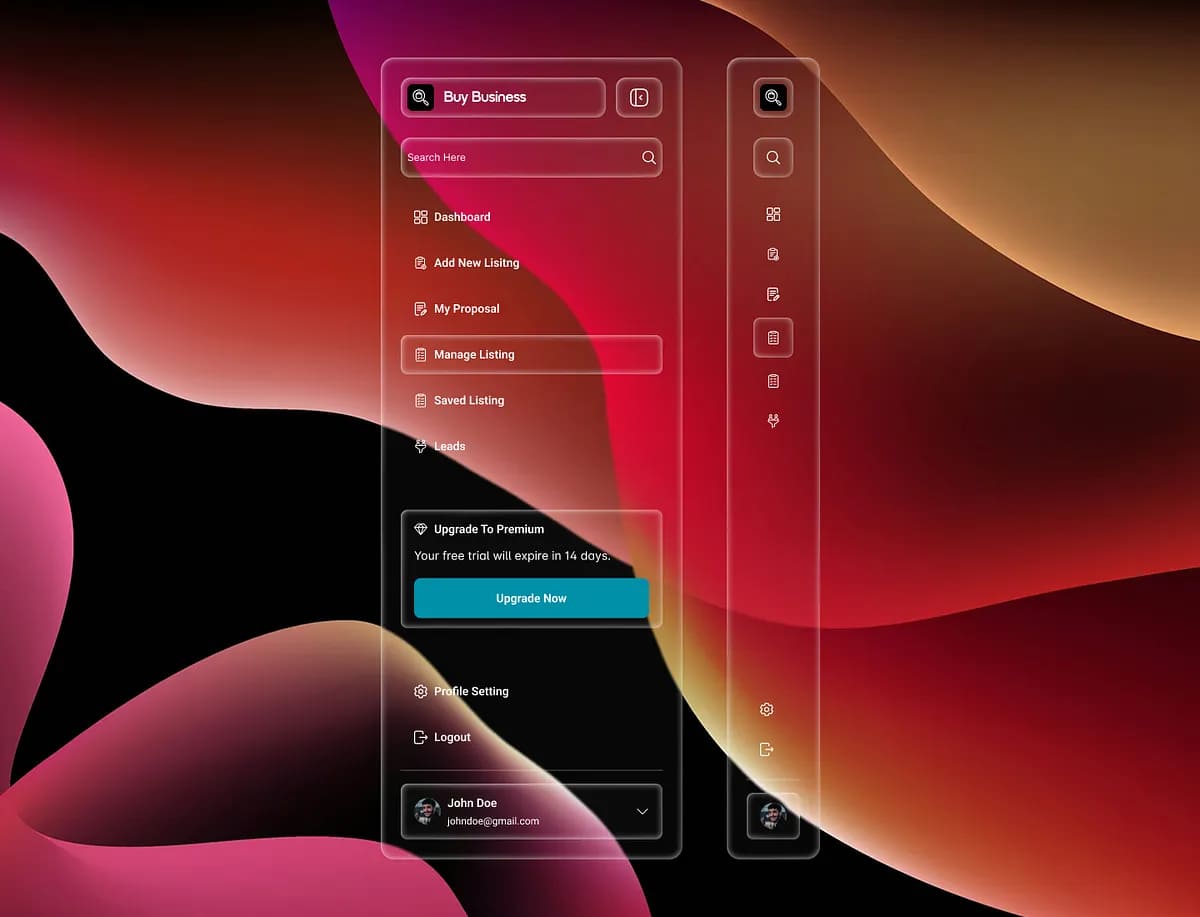
Liquid glass sidebar UI
Liquid glass side bar UI by Mari Chubina
ChatGPT in liquid glass
ChatGPT – liquid glass by Em
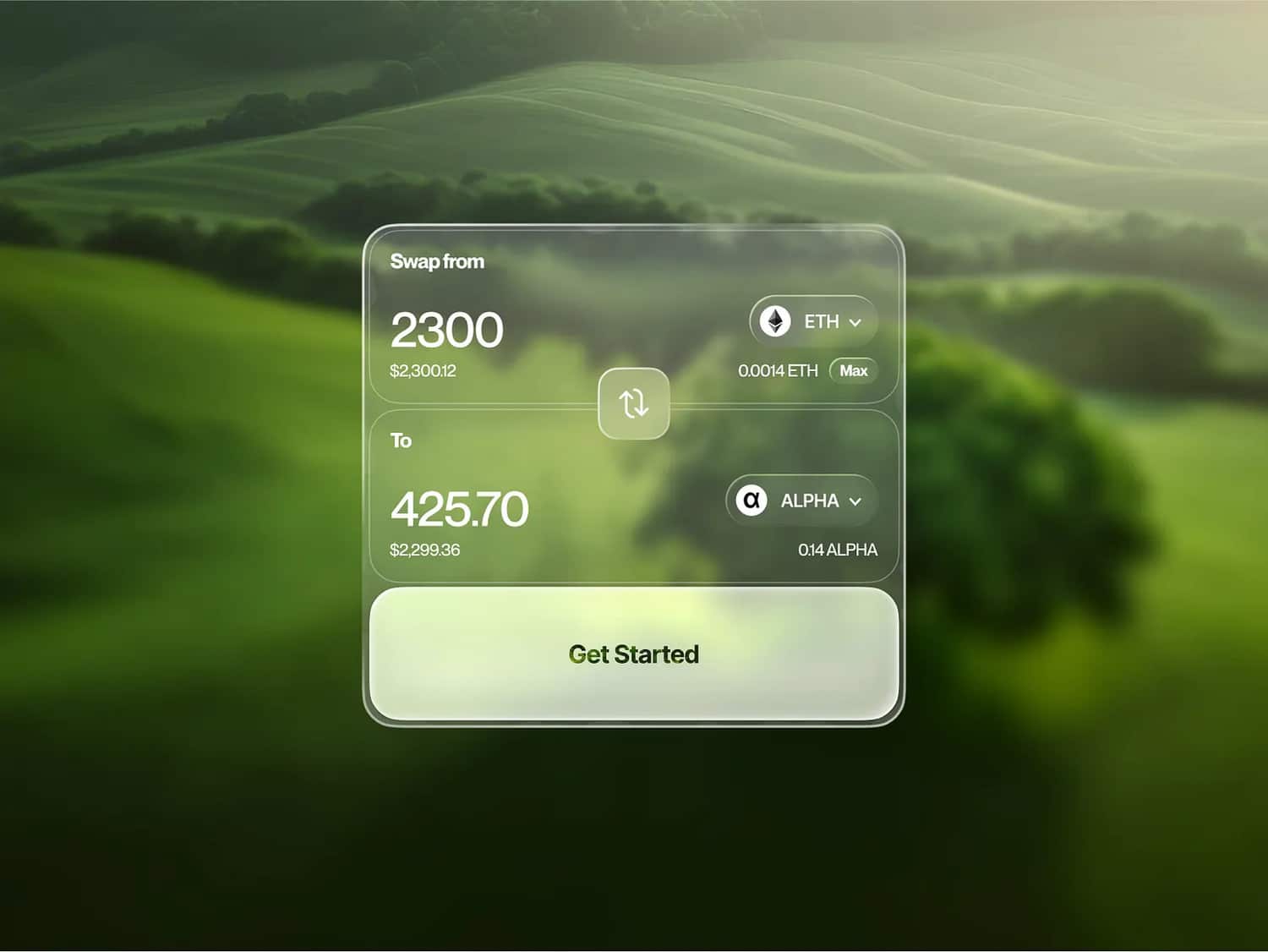
Awap box liquid glass
Swap box liquid glass by Serhii Antoniuk
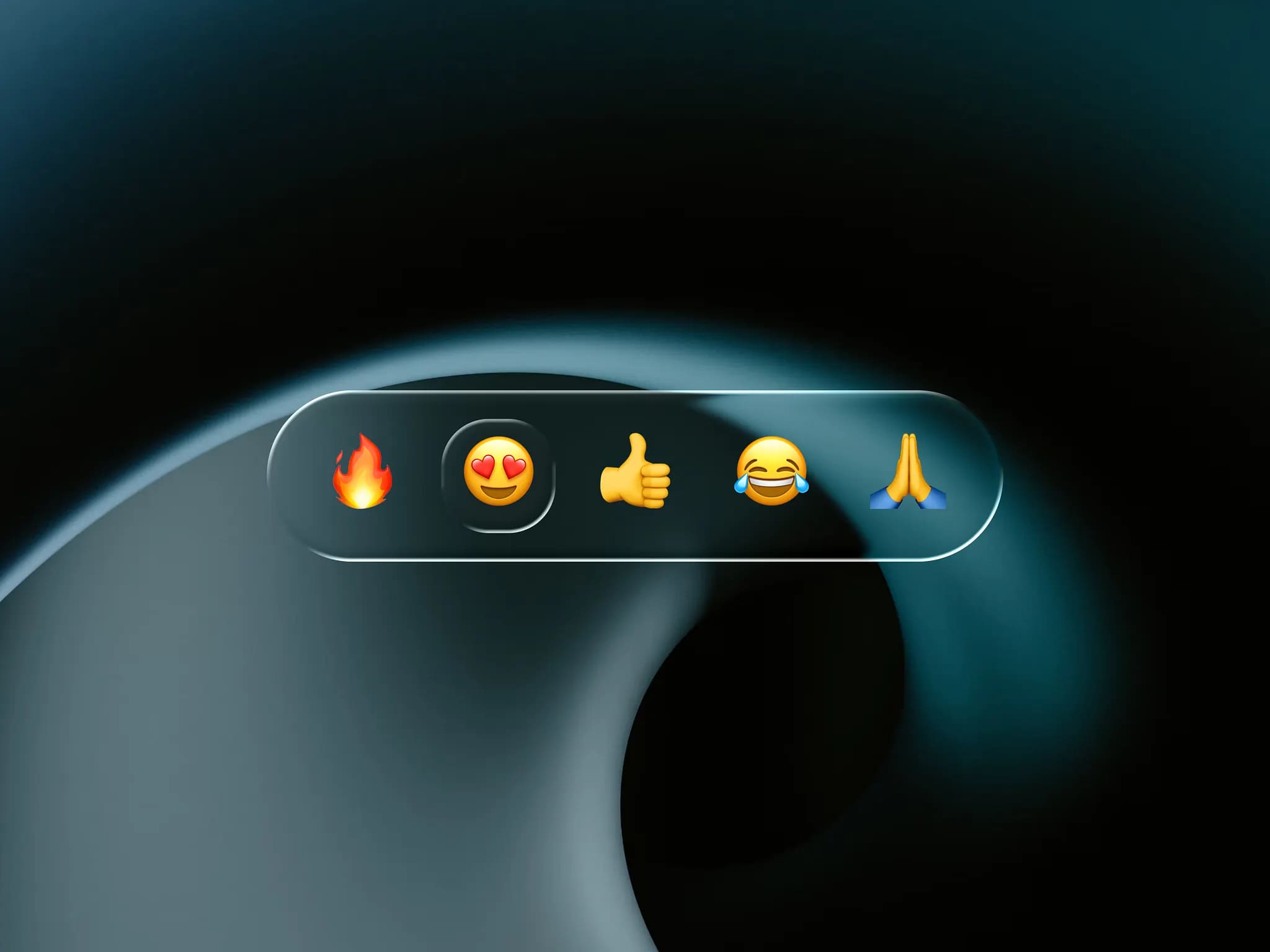
Chat reactions in liquid glass
Char reaction liquid glass by Kasper Carlsen
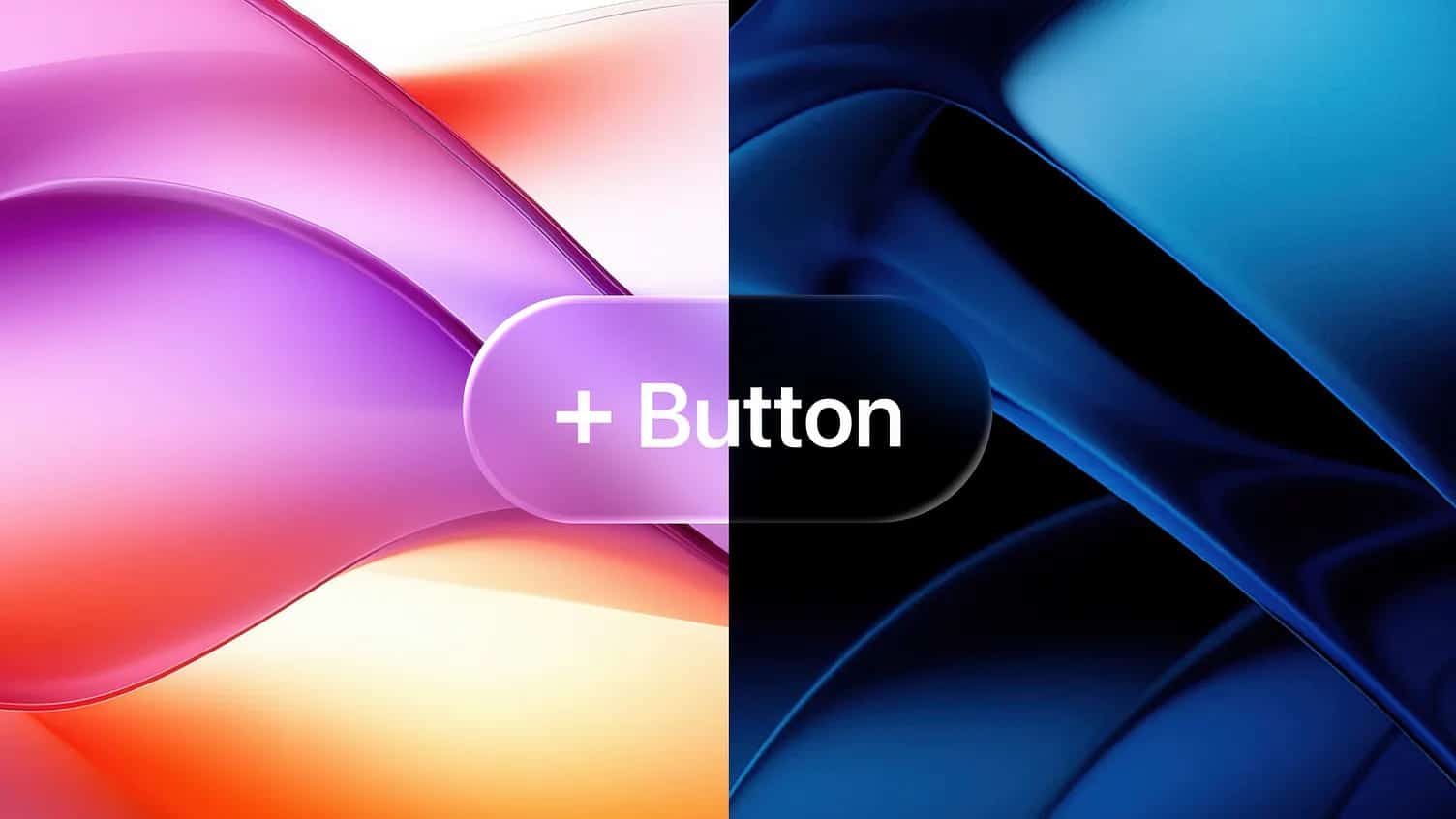
A liquid glass button iOS 26 light and dark
A liquid glass button iOS 26 light and dark by Outline
Liquid glass iOS 26UI
Liquid glass iOS 26UI by Bardia Adibi
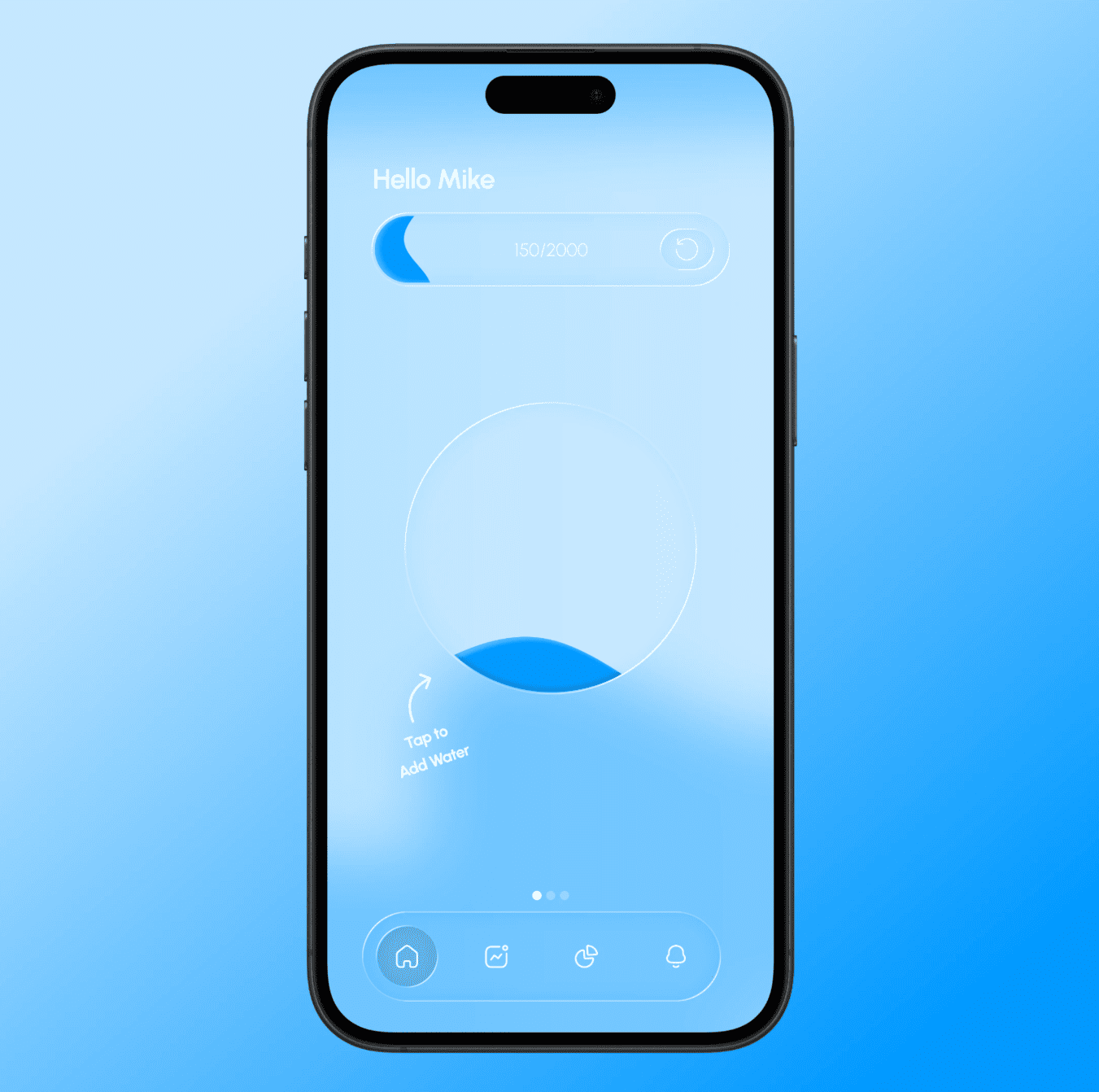
Liquid glass water app iOS
Liquid glass water app iOS by Stanley Kotlyarenko
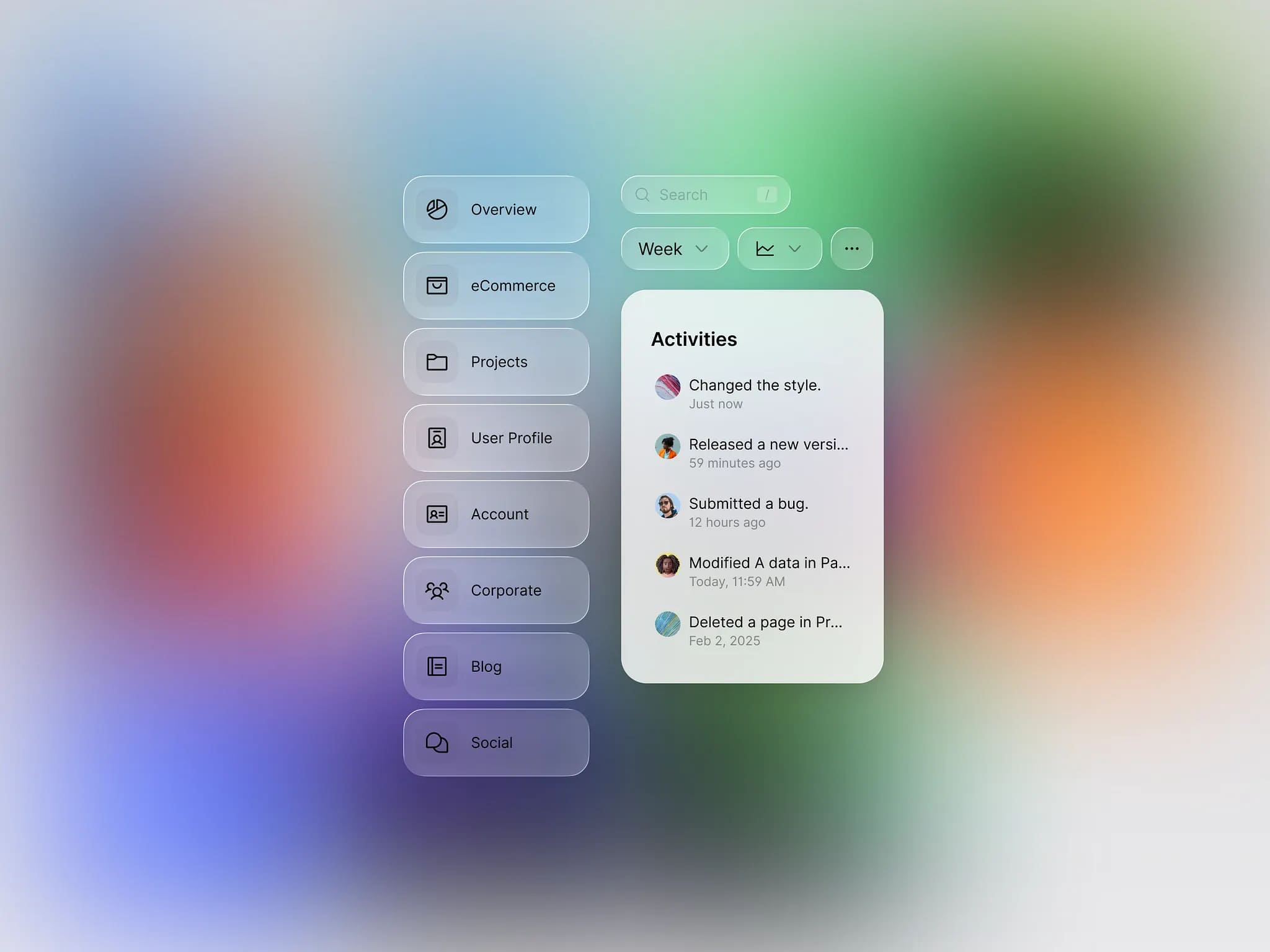
Liquid glass UI
NowUI now supports liquid glass by ByeWind
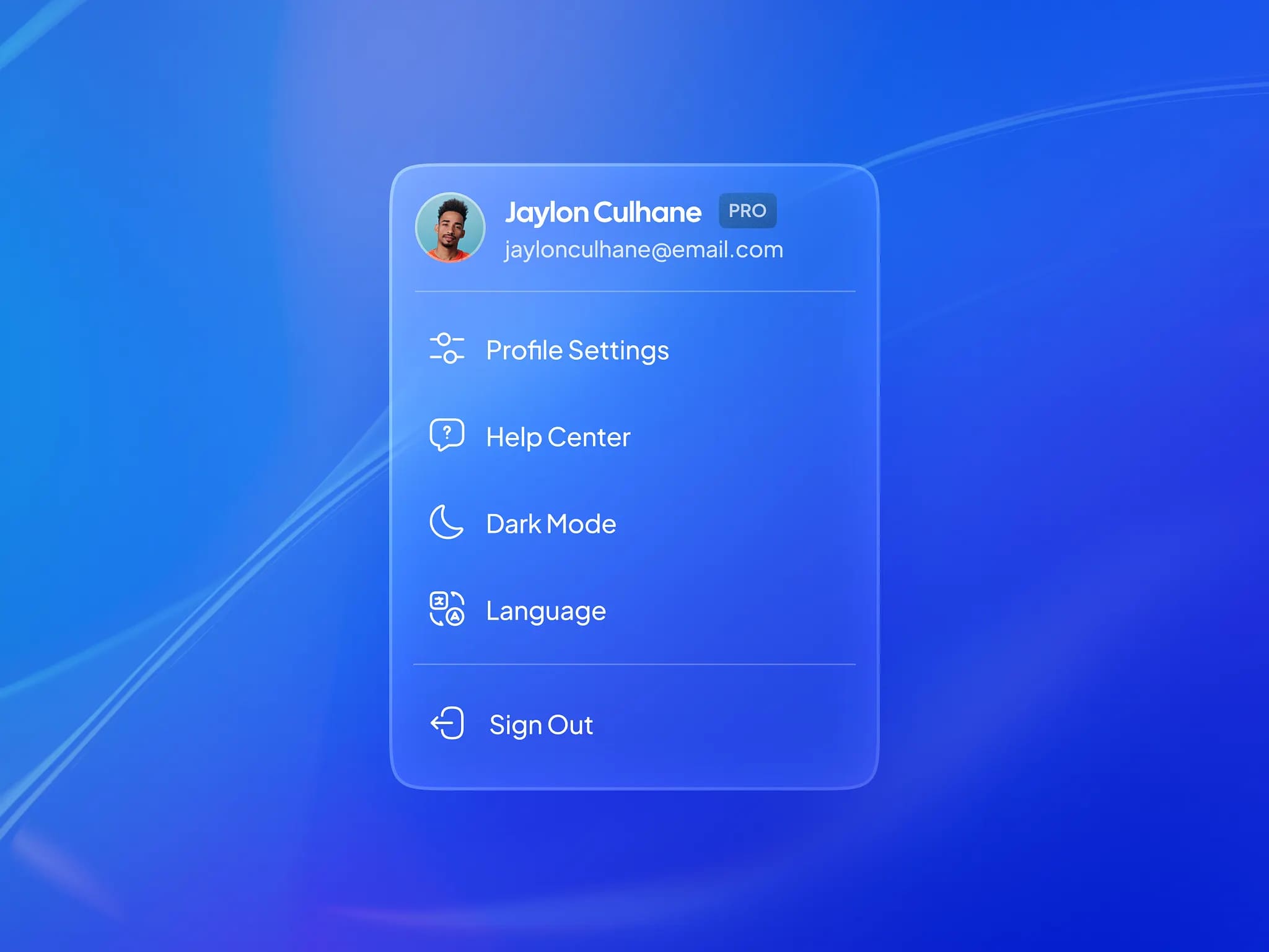
Liquid glass profile dropdown
Liquid glass profile dropdown by Dilan Gunasekara
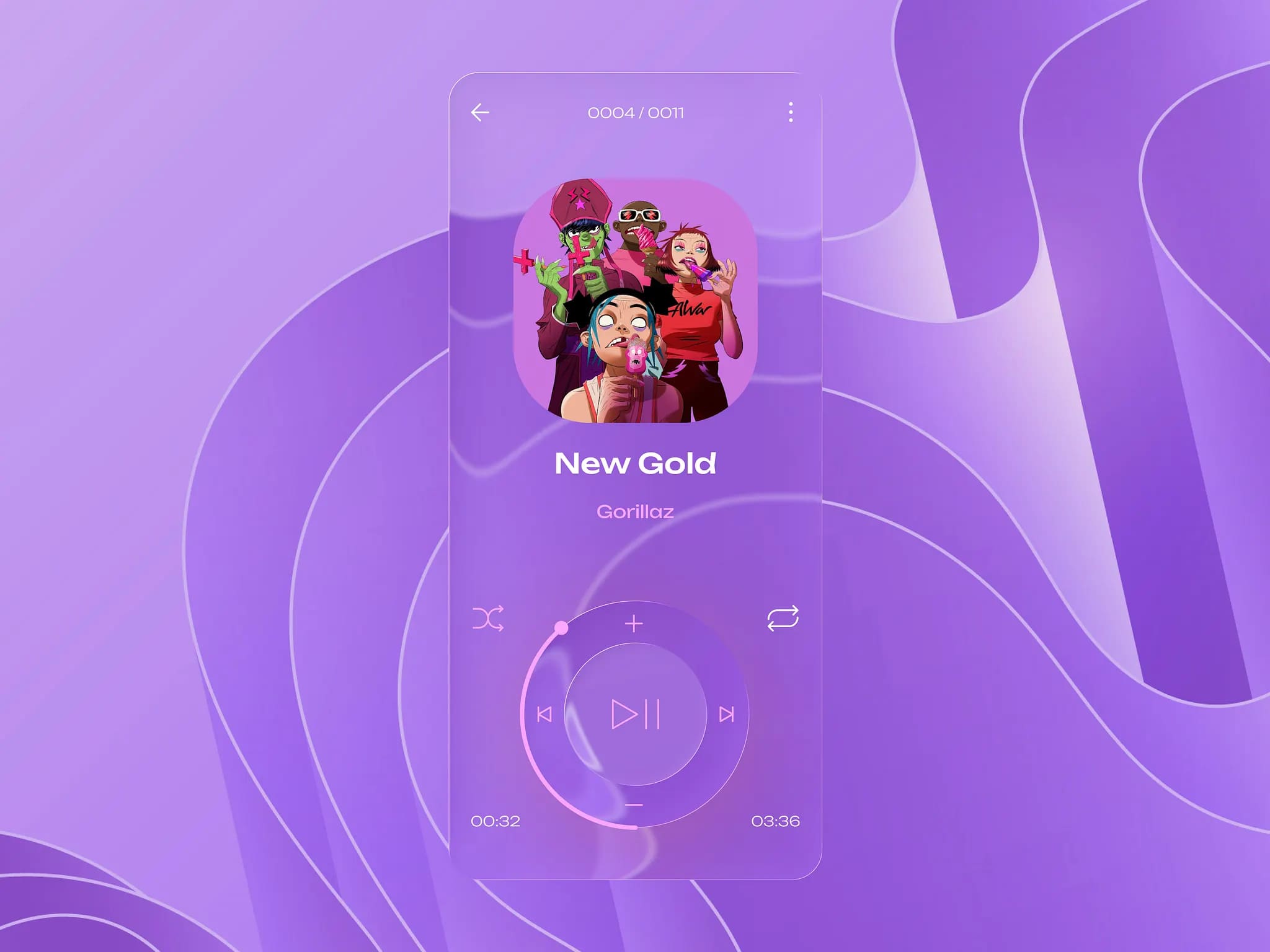
Liquid glass audio player concept
Liquid glass audio player concept by Ivan Suprun
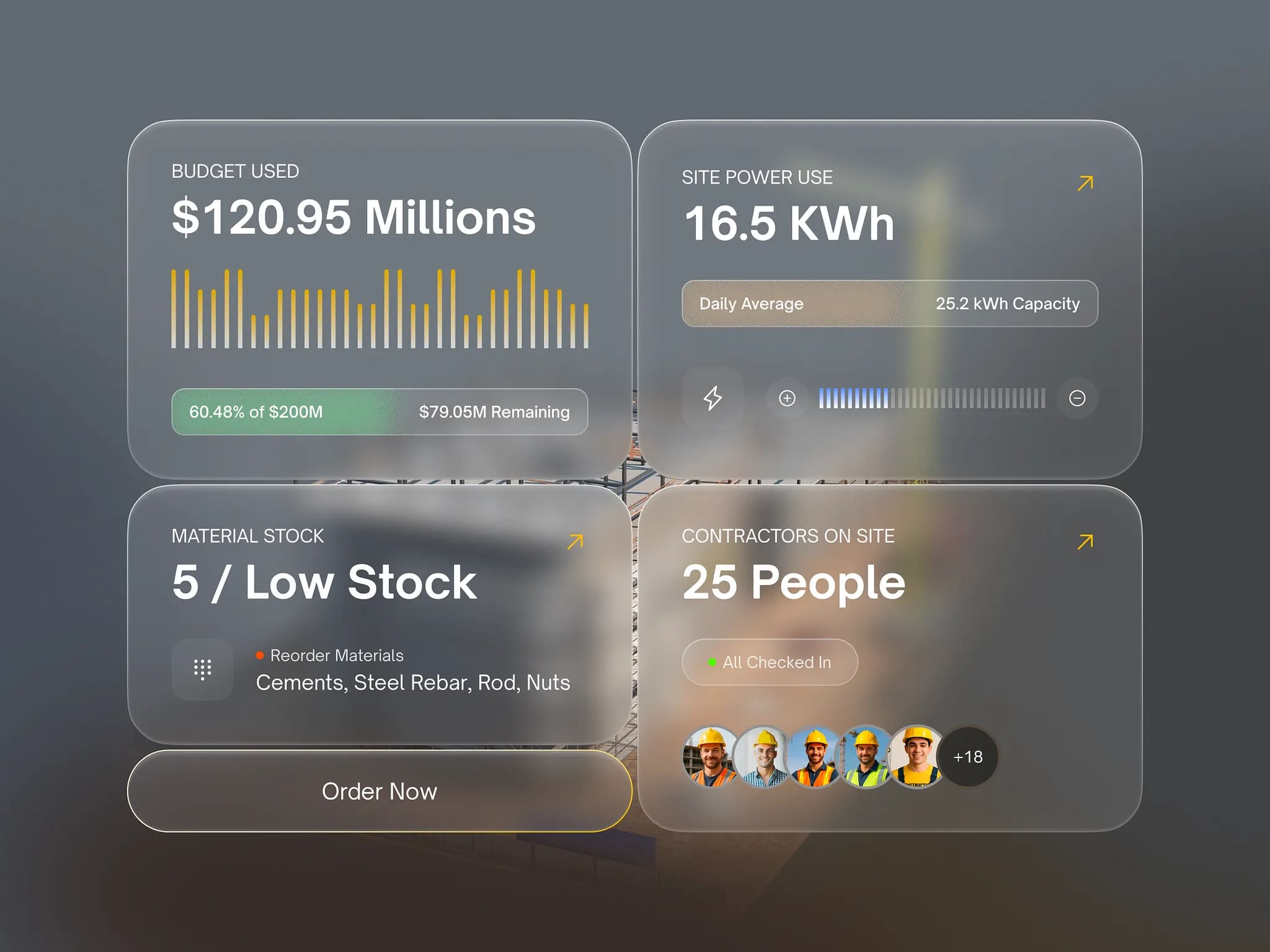
Liquid glass widget components
Liquid glass widget components by Rakibul
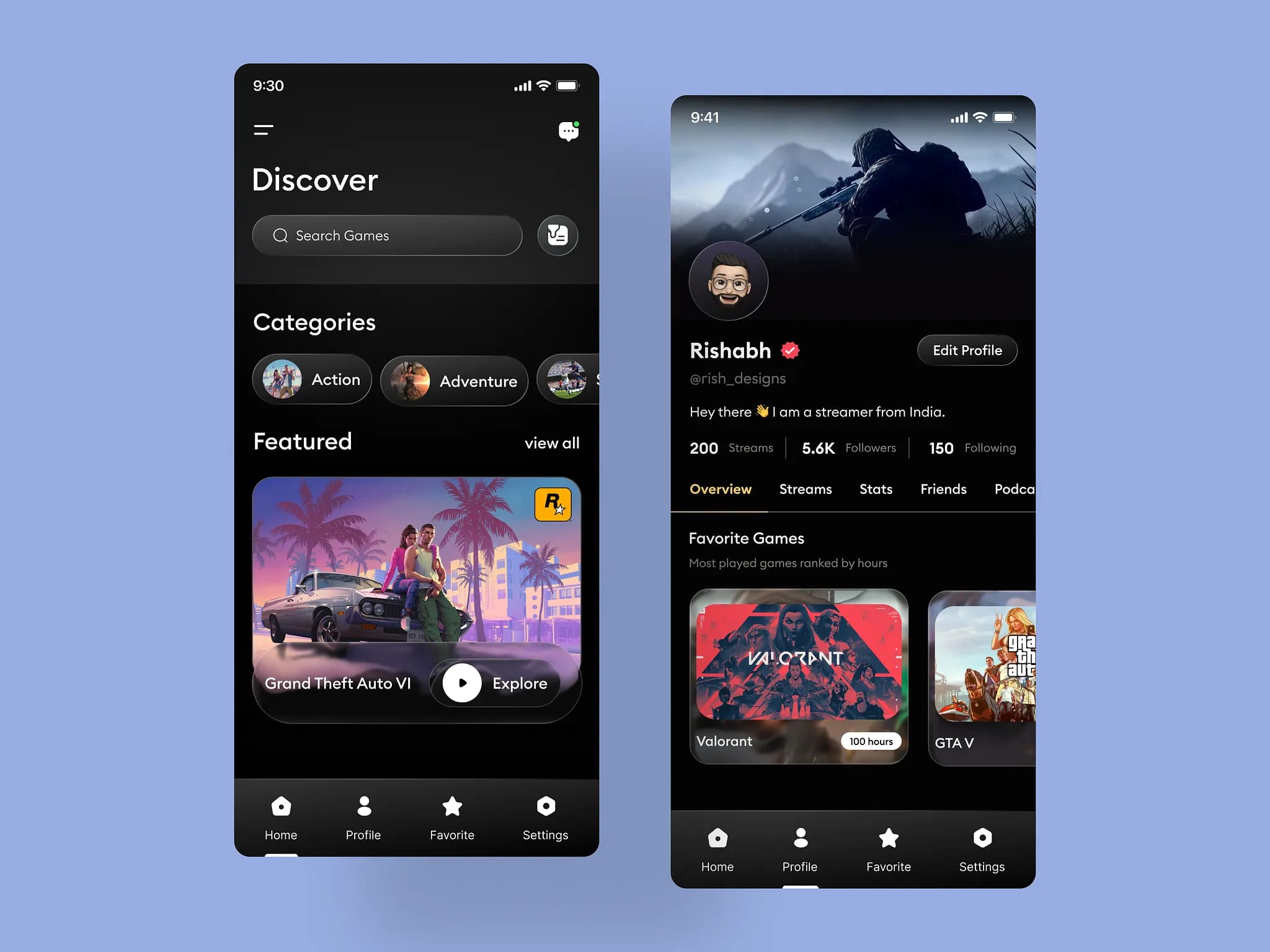
Gaming app liquid glass UI design
Gaming app liquid glass UI design by Rishabh Saxena
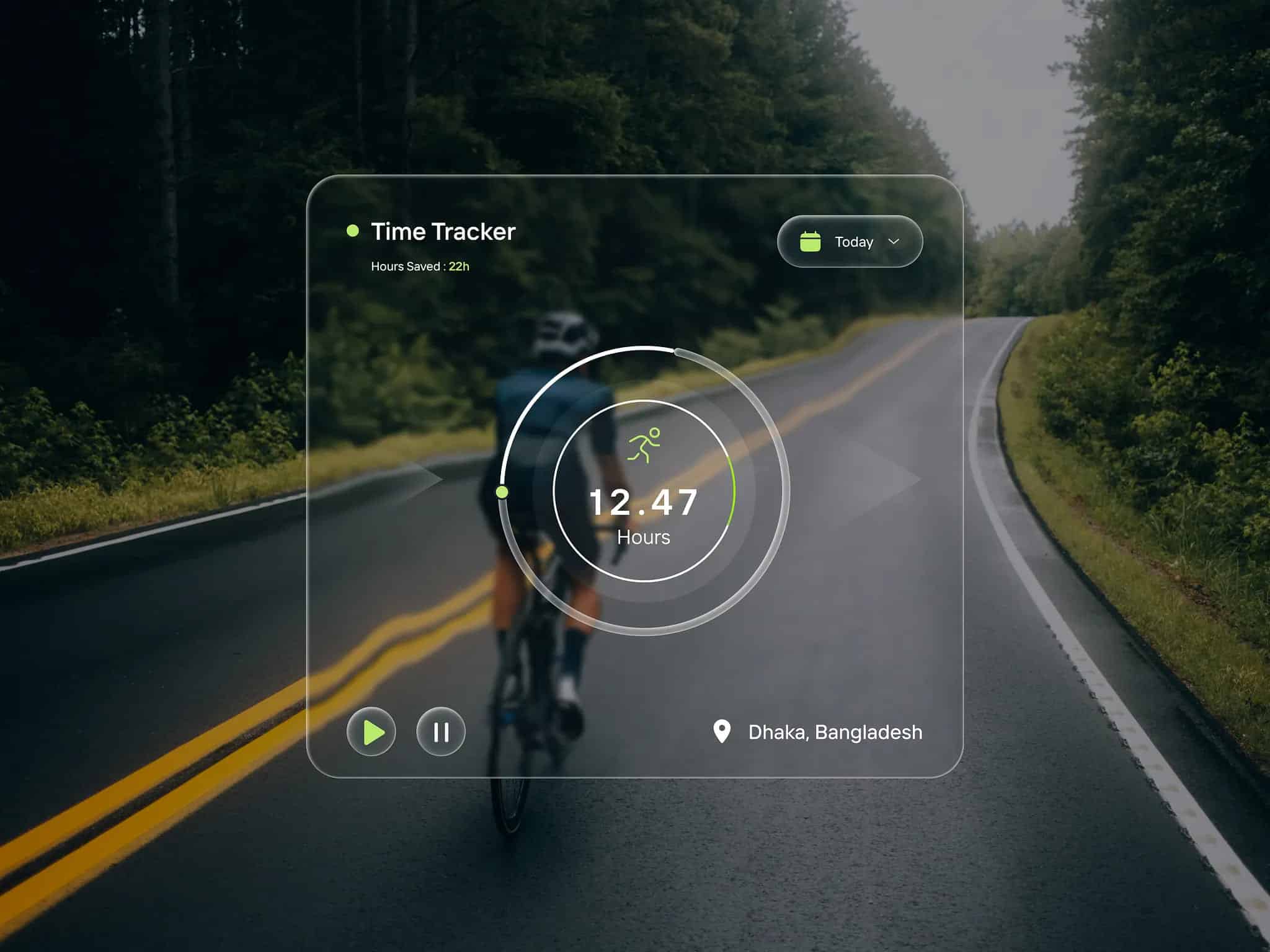
Liquid glass effect tracker UI
Liquid glass effect tracker UI by Jubayr Rahman
AI search bar liquid glass
AI search bar liquid glass by Zappicon
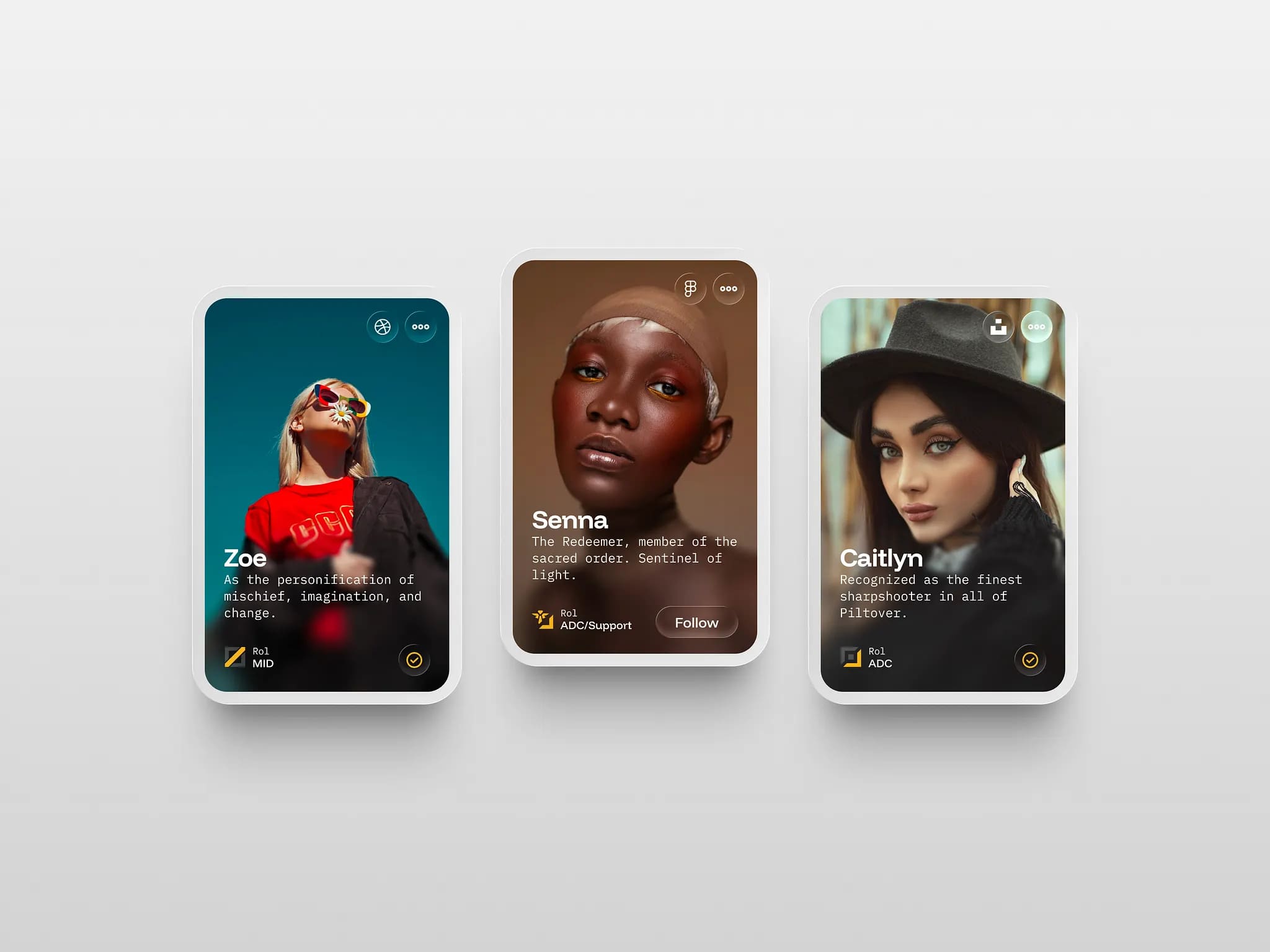
Profile card liquid glass style
Profile card liquid glass style by Miguel Ángel Avila
Liquid glass UI concept
Liquid glass UI concept by Mihir Yadu
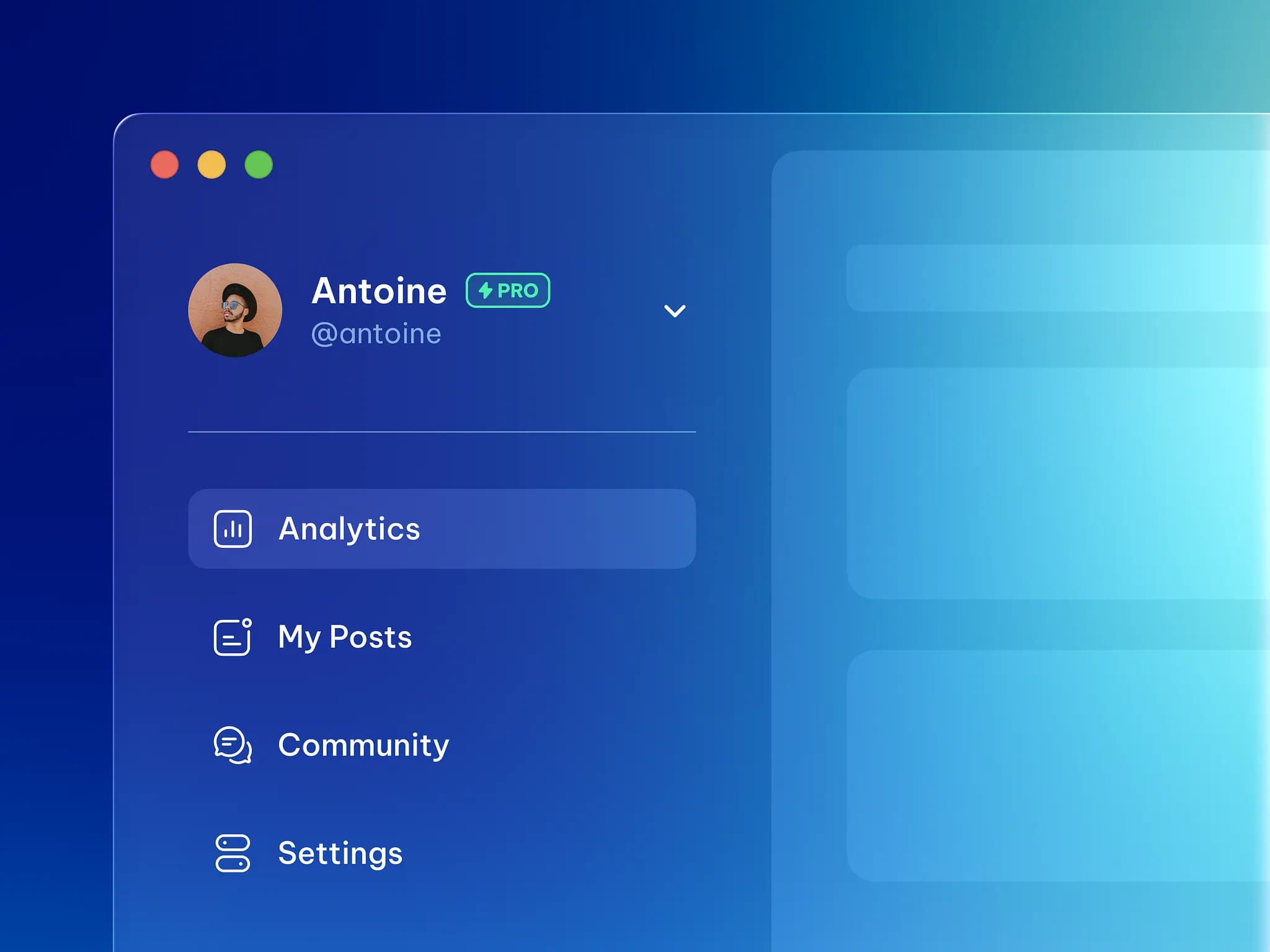
A sidebar navigation liquid glass
Sidebar navigation liquid glass by Zappicons
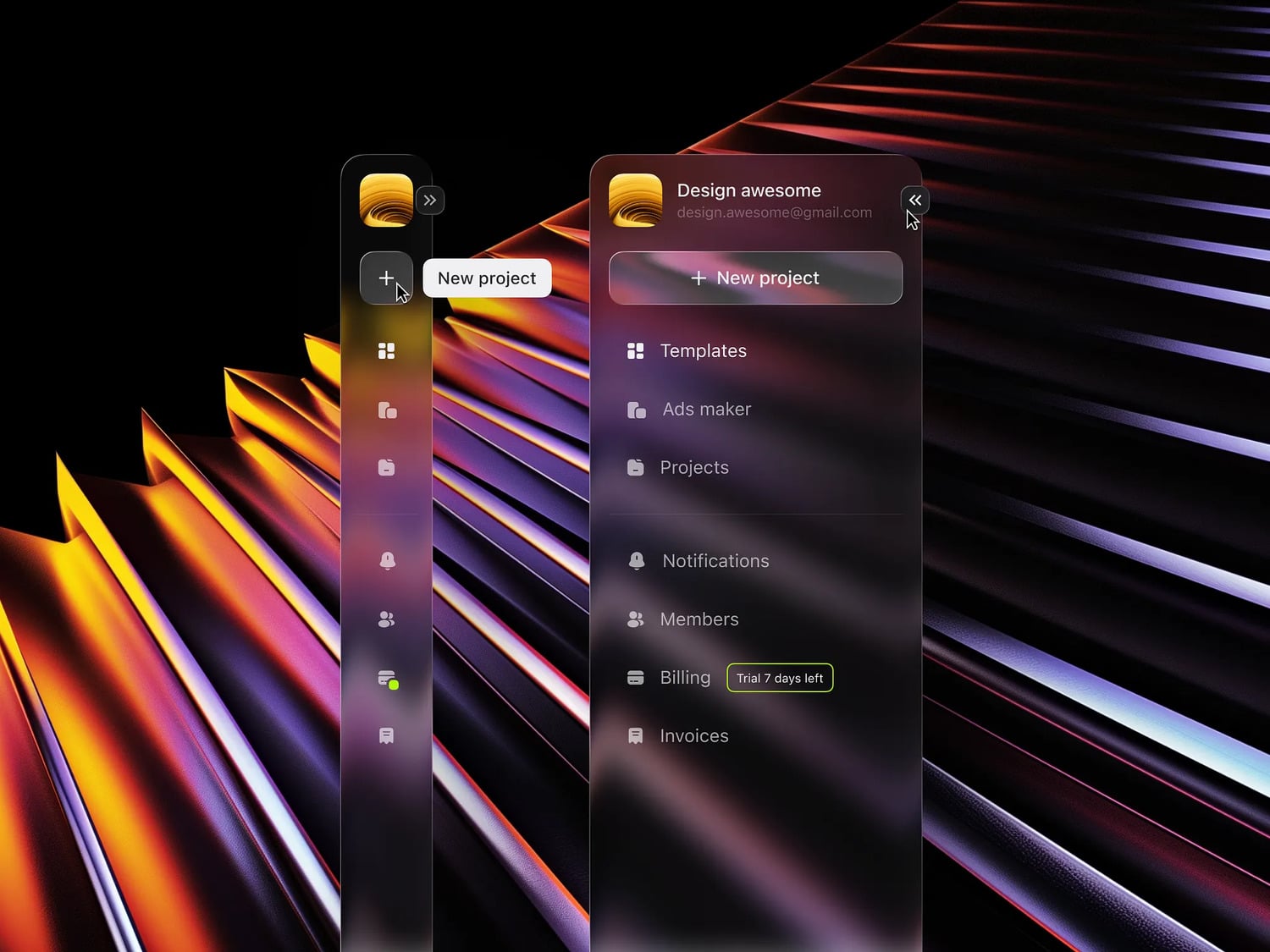
Apple inspired liquid glass dashboard sidebar
Apple inspired liquid glass dashboard sidebar by Ali Raza
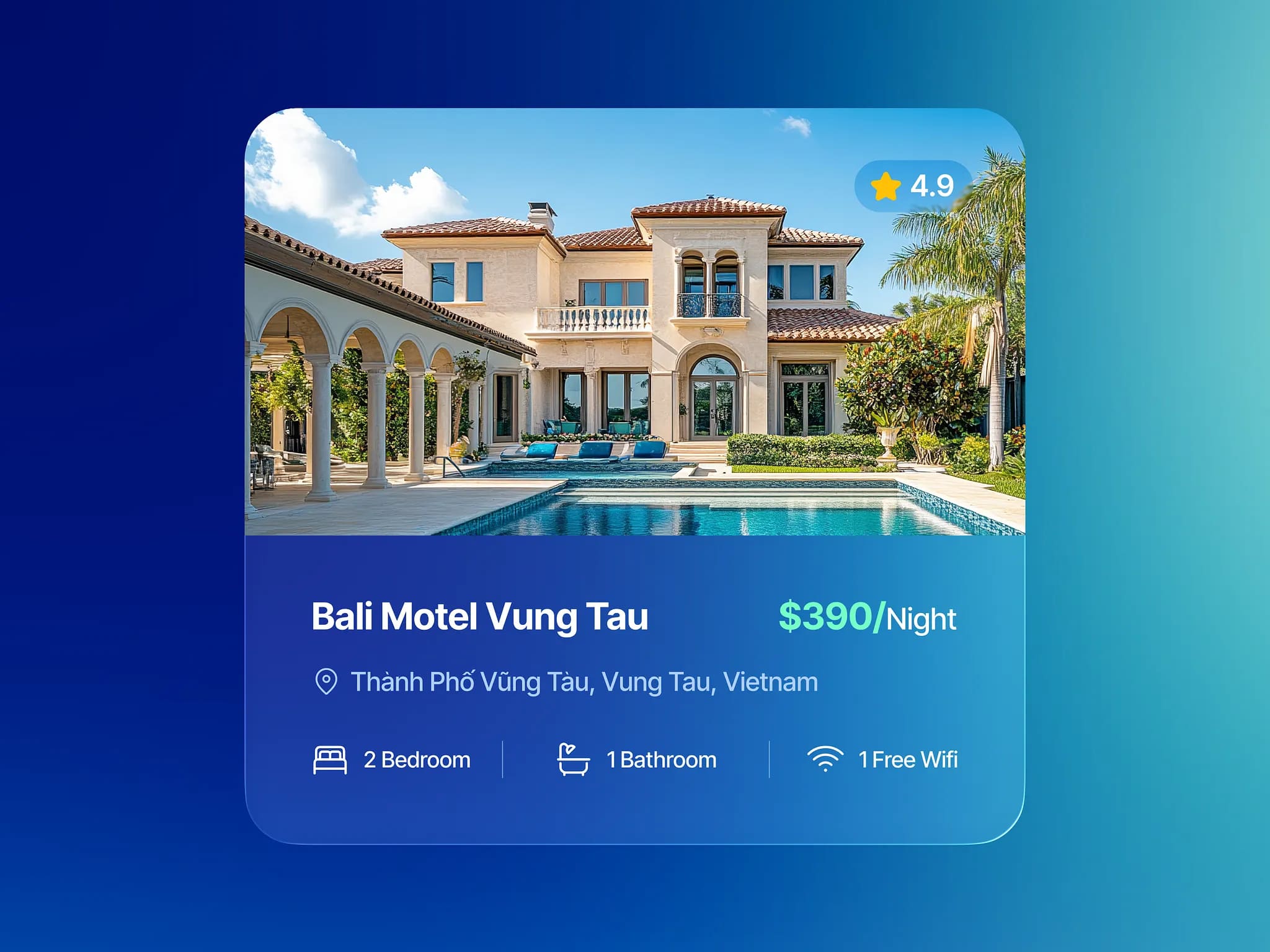
Hotel booking liquid glass
Hotel booking liquid glass by Zappicon
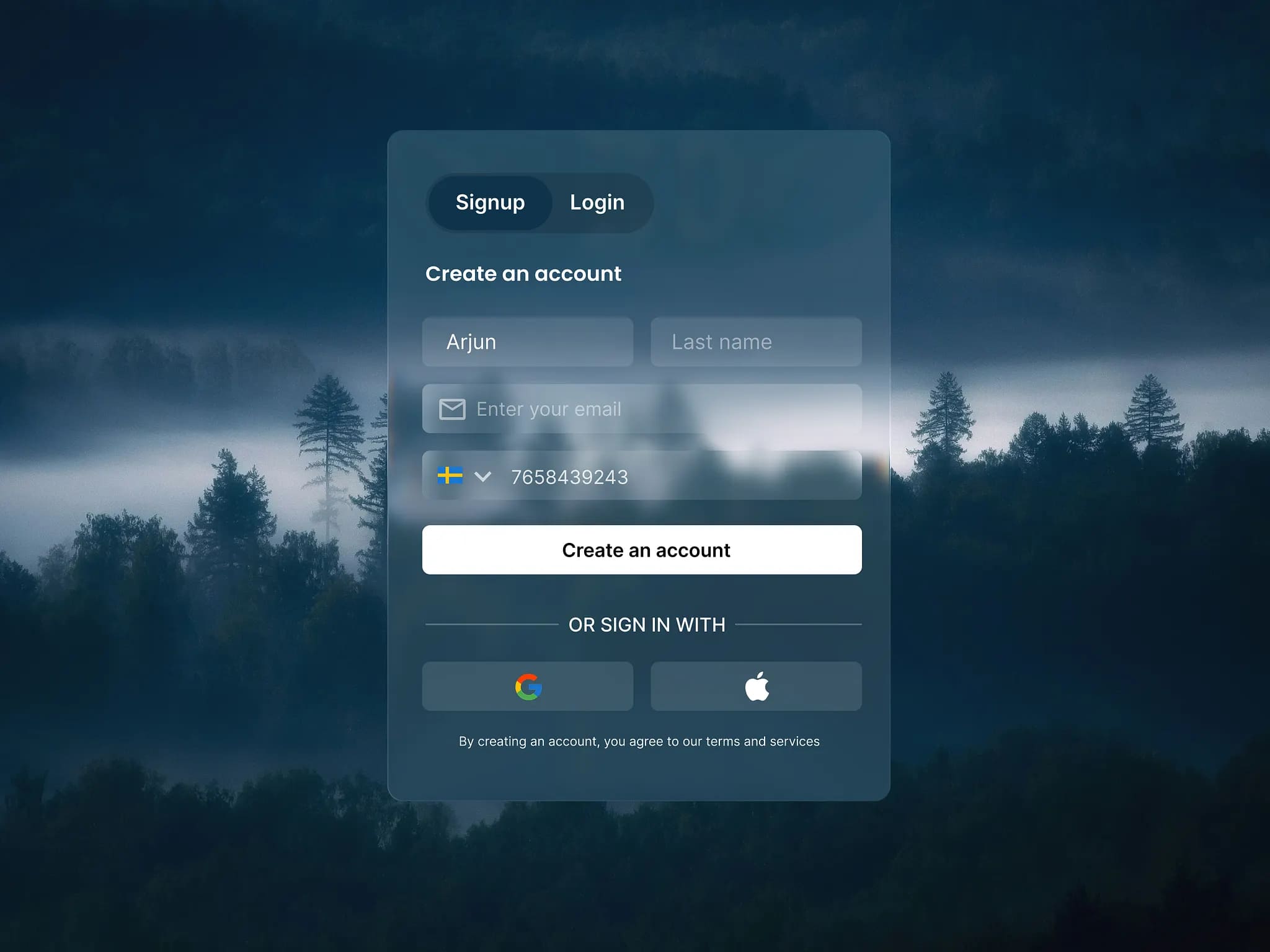
Liquid glass sign up
Liquid glass sign up by Mahmudul
The liquid glass era
The liquid glass era by Momeks Komeili
Liquid glass effect
Liquid glass effect by Zalak Patel
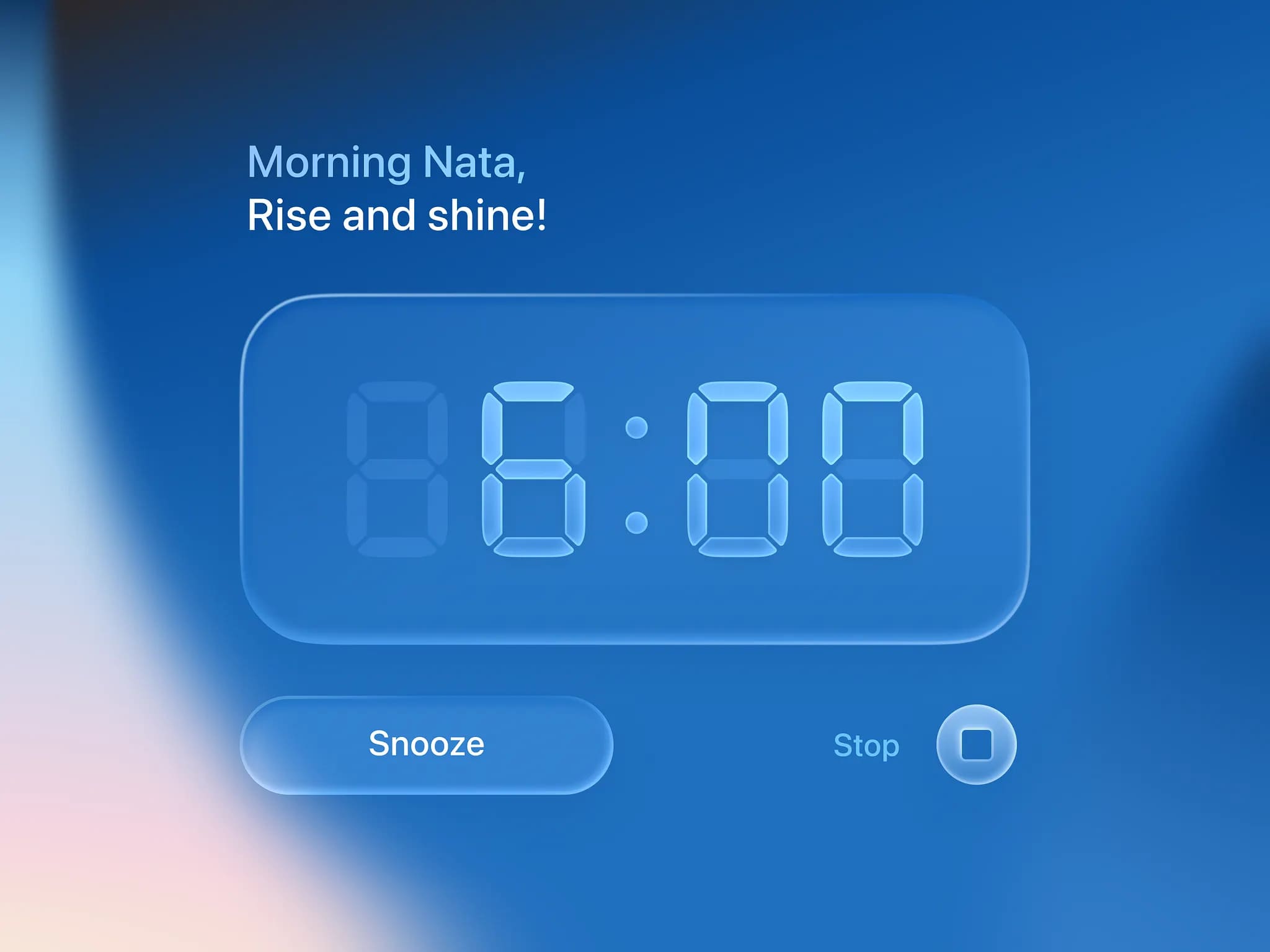
Glass alarm clock
Glass alarm clock by Nata Nova

What is iOS 26 Liquid Glass

Liquid Glass is a new visual effect and design language (iOS 26) introduced across Apple products, inspired by the real-world properties of glass and water. The effect behaves like glass and liquid, responding in real time to user touch and cursor interaction, reflecting the surrounding colors and light.

iOS 26 compatibility

iOS 26 will be compatible with iPhone 11 and second-generation iPhone SE or later. To use Apple Intelligence features, you will need an iPhone 15 Pro or later. This year’s iOS release says goodbye to the iPhone XR, XS, and XS Max models.

The full list of supported devices is:

  • iPhone 16e
  • iPhone 16 and 16 Plus
  • iPhone 16 Pro and 16 Pro Max
  • iPhone 15 and 15 Plus
  • iPhone 15 Pro and 15 Pro Max
  • iPhone 14 and 14 Plus
  • iPhone 14 Pro and 14 Pro Max
  • iPhone 13 and 13 mini
  • iPhone 13 Pro and 13 Pro Max
  • iPhone 12 and 12 mini
  • iPhone 12 Pro and 12 Pro Max
  • iPhone 11
  • iPhone 11 Pro and 11 Pro Max
  • iPhone SE (2nd generation and later)

iOS 26 features

In addition to a new look that will change the way you use your iPhone, Apple is introducing several new features and changes to existing apps and services with iOS 26:

  • While maintaining the Liquid Glass aesthetic, the iOS 26 home screen features a new design. The clock now looks glassy and responds to the tilt of the device, and it also adapts to the selected wallpaper, growing and shrinking in size.
  • In the browser, Safari is an app that looks set to benefit greatly from Apple’s new Liquid Glass design. Web pages now appear edge-to-edge, as Apple finally gets rid of iOS 18’s boxy look that cuts off the top and bottom of content.
  • Apple has been abandoning CarPlay for the past few iOS releases, so it’s a relief to see things change for the better in iOS 26. Most importantly, the bulk of the changes apply to all users – not just those with fancy new cars that support the new CarPlay Ultra interface (although there are improvements here too).
  • A new Call Screening feature lets your iPhone answer calls for you, find out who’s calling and why, and then call you back, displaying a message explaining the subject of the call, just like Live Voicemail does in iOS 18. This feature automatically turns on for unknown callers and is designed to reduce spam.
  • Like Call Screening, Messages has its own spam prevention feature – the ability to filter unknown senders. These messages will no longer clutter the conversation list, but will appear in a separate folder, which can be accessed by pressing a button in the upper right corner of the screen.
  • While Visual Intelligence was introduced with iOS 18.2, it only applied to objects the camera was pointing at. In iOS 26, Apple is expanding the feature to include everything on the screen, much like Google’s Circle to Search feature on Android.
  • Another Apple Intelligence feature, Live Translation, provides on-device translation capabilities for Messages, Phone, and FaceTime. The feature works offline, but requires an iPhone 15 Pro or later (it also works on Apple Watch paired with a phone that supports Apple Intelligence).
  • Thankfully, Apple is bringing back tabs to the Camera app for the Library and Collections areas. While the Library is a view of everything, Collections lets you quickly jump to Favorites, Albums, and Search.
  • The camera app has been slightly revamped, with a larger viewfinder and more emphasis on the main photo and video modes (these are the only two mode buttons that are always on the screen). You can swipe left and right to see other modes, like slow-motion and portrait mode, or swipe up to access all the other camera settings.
  • New to iOS 26 is a dedicated Games app that closely resembles the revamped Game Center (so let’s hope Apple doesn’t abandon it). The app is designed to make it easier to access and discover games, displaying what you’re currently playing on your home screen, along with a news feed. You’ll also get recommendations based on your tastes.
  • Apple Music also has its own live translation features that allow you to automatically translate lyrics and subtitles that help you pronounce lyrics correctly.

The bottom line

The new design language in iOS 26 along with Liquid Glass is something incredible and is getting me more and more involved in this big business game. I have rediscovered this design and by selecting the best options I present it to you so that you can touch and feel the Liquid glass design a little closer.

I think Liquid Glass will be an immediate hit for the design community and a long-term one, which will change the established design. Of course, this is a challenge for everyone, but with time we will get used to the new order and it will only be more interesting. I wish everyone success.


Credits:

  • howtogeek.com

Tags:

AppleInspirationiOS 26Liquid Glass

Share Our Post

Man using chatgpt app
Previous Post

‘ChatGPT’ now lets you buy directly from the app

RCSI My Health Cover
Next Post

Anatomy redesigned the ‘My Health RCSI’ brand

Popular Categories
Art Art
18 Posts
Creative Creative
91 Posts
Tech Tech
79 Posts
Blogging Blogging
14 Posts
AI AI
66 Posts
Most Viewed
Lightning fonts cover
13 Lightning fonts that will electrify your designs
July 31, 2025
A robot fonts cover
25 Advanced robot fonts for best sci-fi designs
August 29, 2025
Smirnoff Flavours
Bulletproof unites identity and culture with ‘Smirnoff flavours’
December 26, 2025

Random Posts

Tesla electric car cover
News
Tesla stripped of its dignity as the biggest electric vehicle maker
Ramensky noodles cover
Branding
‘Ramensky’ visual identity and packaging created by Ostecx
Valentine's Day Flyer Templates Cover
Templates
35 Valentine’s Day flyer templates are ready for events
Gothic fonts cover
Fonts
35 Gothic fonts that master the spirit of dark design
Design Mupi Design Mupi
Follow Us
Facebook
Twitter
Recent Posts
Apple launches ‘Creator Studio’ app suite for $12.99 per month
January 13, 2026
Apple has chosen Google as a long-term partner to provide AI features
January 13, 2026
Info
  • About Us
  • Affiliate Disclosure
  • Get Featured
  • Advertising
  • Contact Us
Legal
  • Privacy Policy
  • Legal Notice
  • DMCA Complance
  • License
© 2025 Design Mupi - All Rights Reserved.