












Adobe is clearly aiming to make Premiere Pro the centerpiece of its creative ecosystem, with a major wave of AI-powered updates planned for the 2026 Sundance Film Festival.
This comes after 85% of the films premiering at this year’s Sundance Film Festival were created using Adobe Creative Cloud, further demonstrating the importance of the software in modern filmmaking.
But even more exciting for animation and 3D work are the updates to After Effects. The app now features improved vector workflows, integrated 3D parametric meshes, and a massive update to motion typography.
Premiere Pro
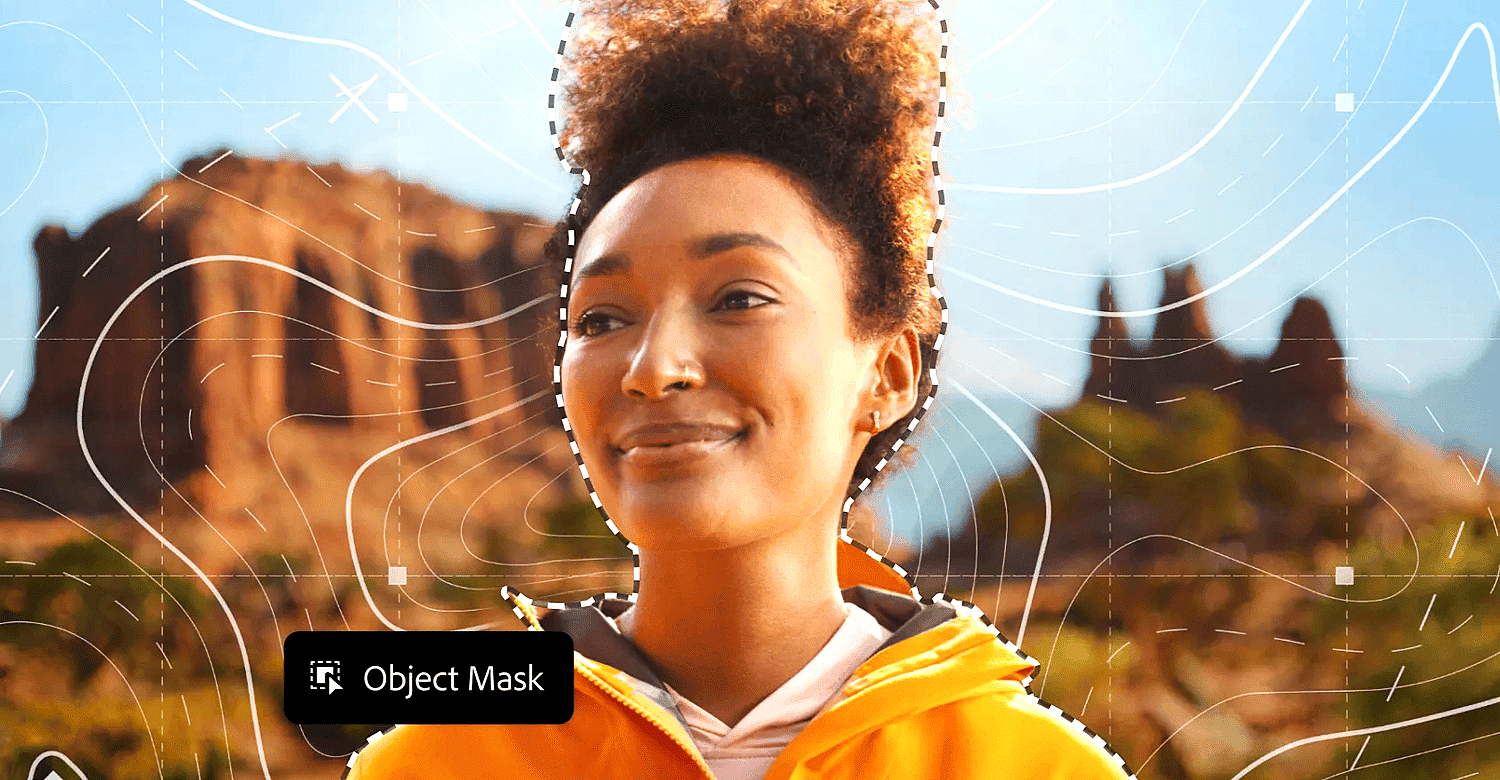
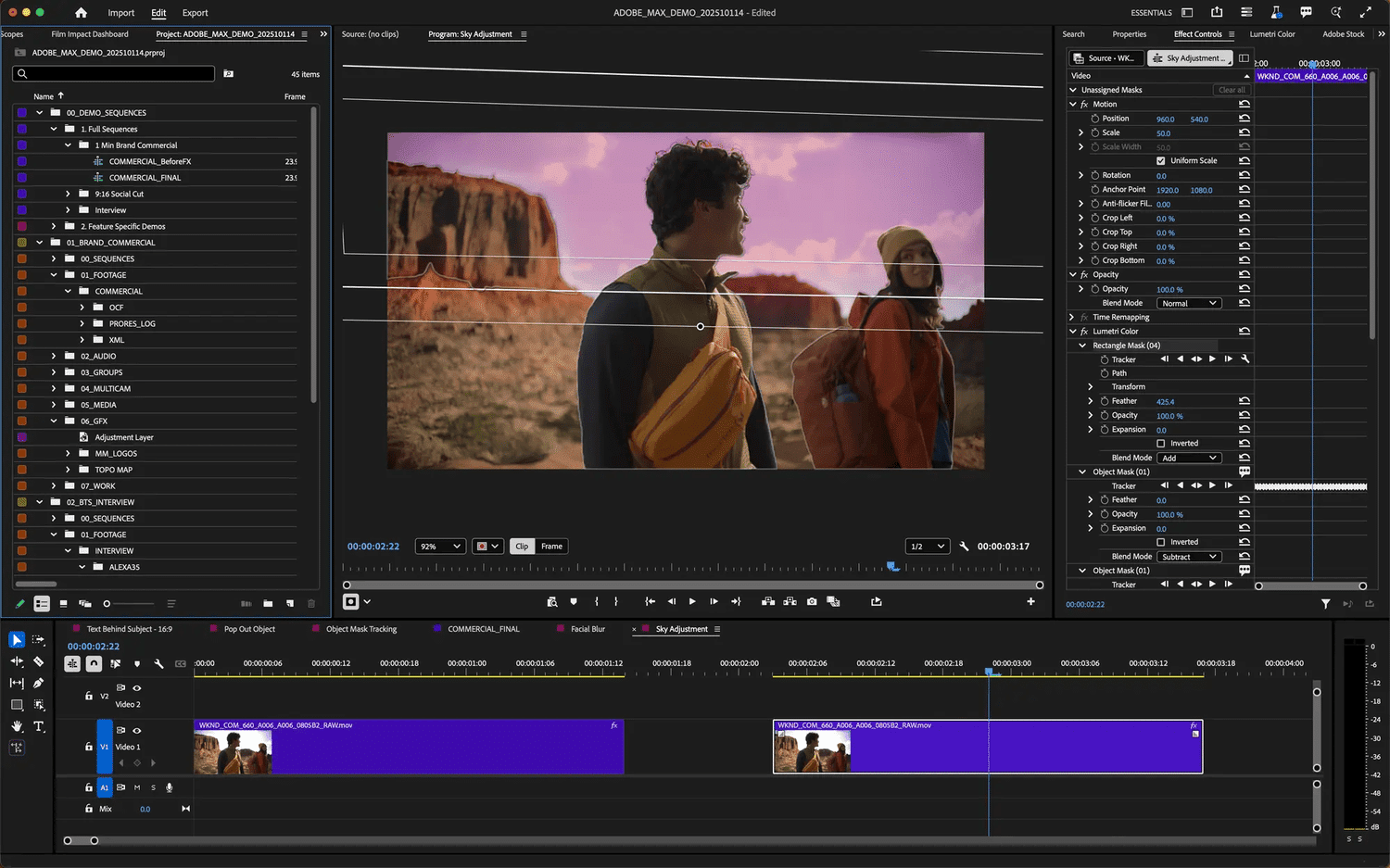
The most notable addition is “Object Mask”, a new hover-and-click tool in Premiere Pro powered by on-device assistive AI. It allows editors to isolate complex, moving objects in seconds using clear visual layers and simple adjustment controls.
Tracking is significantly faster and more reliable, making what was previously a labor-intensive, keyframe-intensive process a natural part of the creative workflow. Tasks like lighting changes, background blur, custom color grading, and custom effects can now be accomplished with much less friction.
Adobe has also updated its long-standing shape masks, including the ellipse, rectangle, and pen. These tools now feature smoother Bezier curves, clearer overlays, and up to 20x faster tracking speed.
Editors can track forward or backward from any selected frame, snap masks to 3D surfaces, and preview the results in real time. A new frame track editing mode makes cleanup even easier, allowing you to fix imperfect tracks with a few adjustments instead of lengthy manual work.
At the same time, workflows related to Premiere Pro are also becoming more streamlined. Firefly Boards, Adobe’s AI-powered creative space, can now send generated assets directly to Premiere with a single click, ensuring ideas move from early visual exploration to the timeline without unnecessary interruptions.
Collaboration is also being brought more deeply into the editing process. The Frame.io V4 panel, now in beta, in Premiere Pro brings comments, media, and version history right into the interface. Editors can review cuts, manage assets, and sync feedback without leaving the timeline.
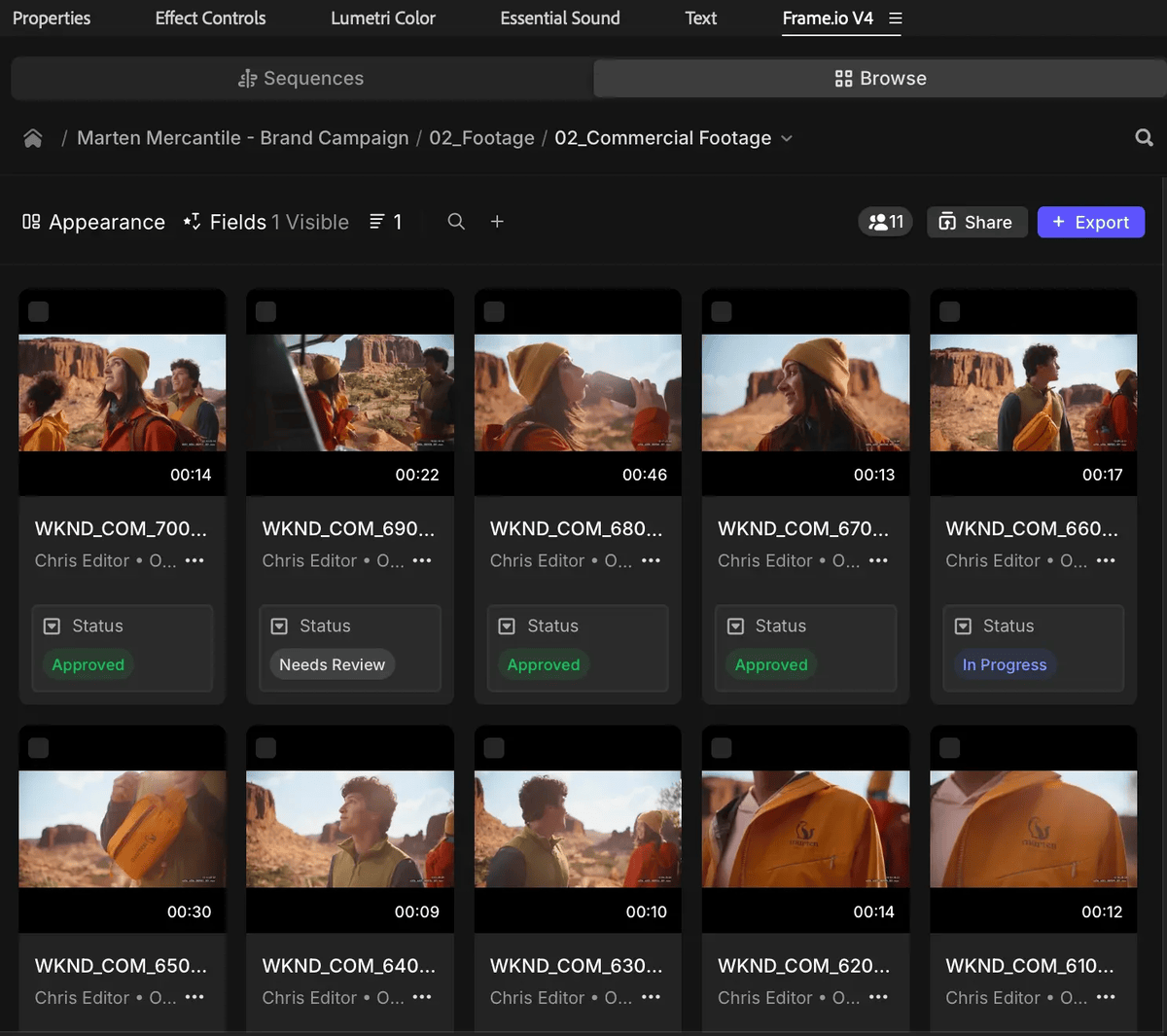
All of these updates clearly point to where Adobe is headed. Premiere Pro is becoming a faster, smarter editing hub, where artificial intelligence takes care of the technical friction and gives editors more room to focus on pacing, experimentation, and storytelling.
The goal isn’t to replace creative judgment, but to clear the way for ideas to move more naturally from concept to execution.
After Effects
After Effects also improves performance and expands motion design capabilities, which are additional updates to Premiere’s evolving toolset.
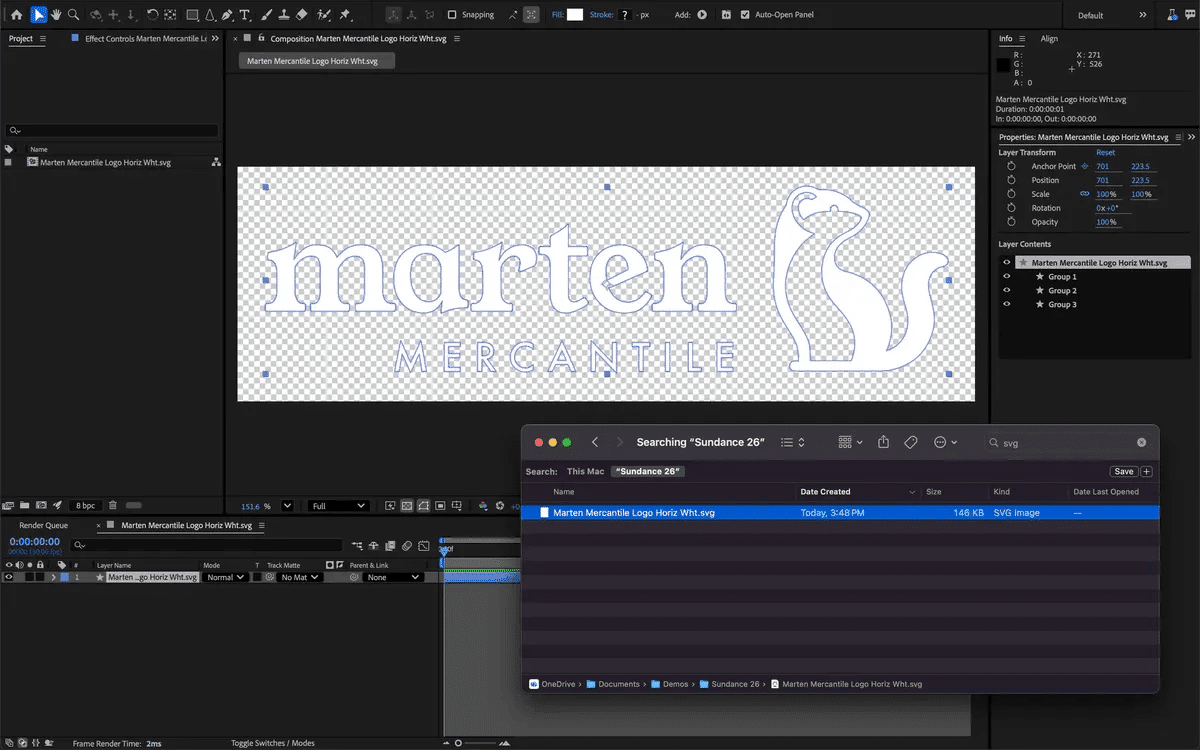
First of all, After Effects finally supports SVG files. Why it took so long, I don’t know, but you can now import SVG files as native shape layers and use them for animation with full vector accuracy.
Gradients and transparencies are preserved, so you can apply color transitions to keyframes and animate gradient movements. Gradient scaling and rotation capabilities give you more creative control over fills and strokes.
Everything is editable without the need for Illustrator, saving you a lot of time on logos, icons, and UI animations.
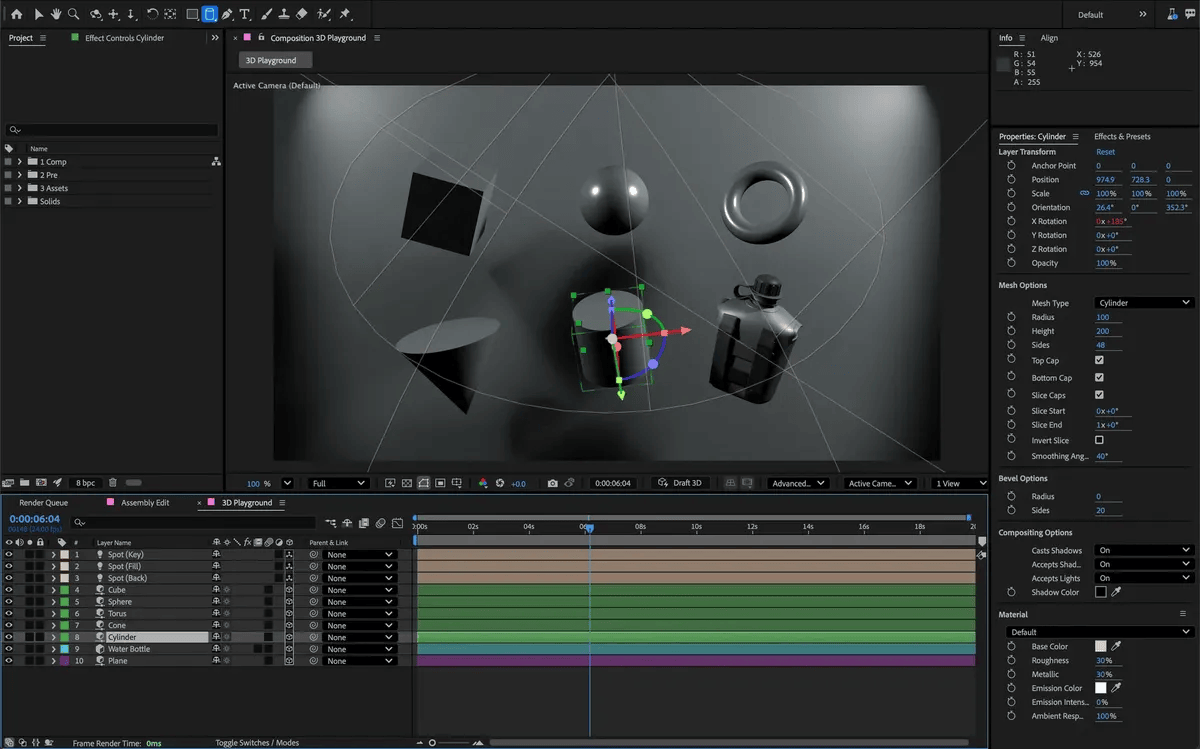
Additionally, the beta version of After Effects adds the ability to create parametric meshes directly in the application. You can create and manipulate cubes, spheres, cylinders, cones, tori, and planes, and combine shapes to create stylized graphics or photorealistic scenery.
New point and parallel shadows can be used to enhance the realism and dynamics of scenes. This addition allows for faster experimentation and hints at an exciting future for natural 3D design in After Effects.
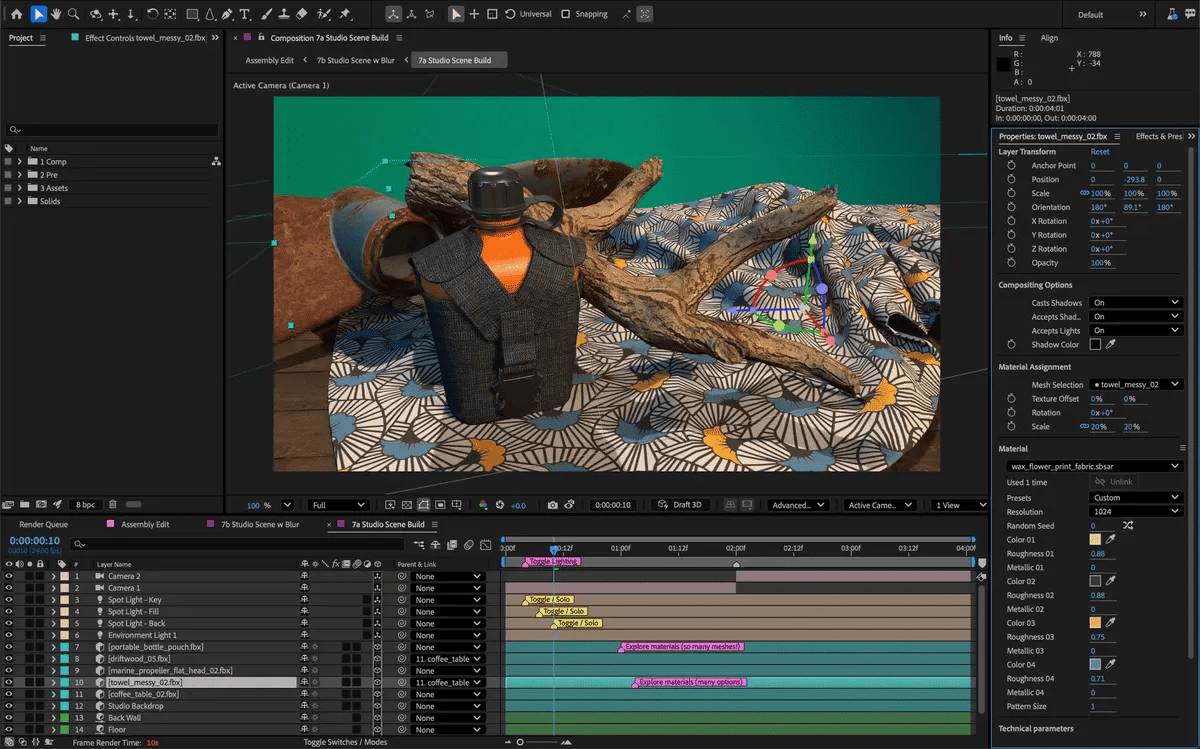
After Effects users can now also access and apply Substance 3D materials to native meshes and imported models to add depth and realism. This means you can apply textures like metal and concrete directly to 3D objects in After Effects.
Thousands of materials are available on the “Substance Community Assets” platform, including over 1,300 free materials, and the materials are dynamic and customizable with shift, rotation, and repeat controls.
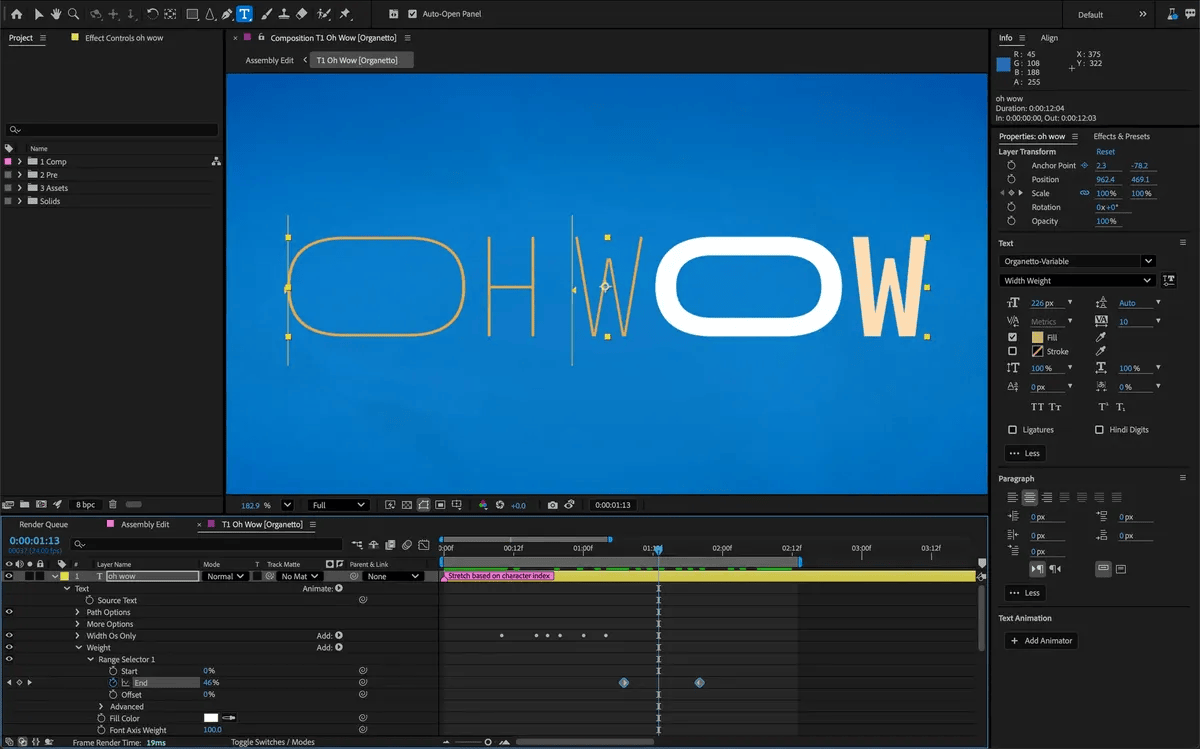
A major improvement to motion typography in After Effects is the ability to animate each axis of a variable font using the “Text Animator” system with keyframes and expressions. You can have up to eight axes on a single layer and adjust the weight, width, skew, movement, and any designer-defined font axes in the Properties panel, and control them through the “Essential Graphics” panel.
Finally, there’s a new Unmult effect that quickly combines footage with a solid black or white background by removing pixels based on brightness thresholds. This makes it easier to combine complex clips with fire and smoke.
Credits:
All images courtesy of Adobe.


