











iOS 26.4 beta 1 is now available for developers. The update brings tons of new features and changes for iPhone users. There are new changes to the “music app”, “Messages”, “Apple podcasts”, and many other features. Below is a full rundown of the new features in iOS 26.4 beta 1.

iOS 26.4 is now available to developer beta testers. The build number for the update is 23E5207q. Developers can update by going to the Settings app, choosing General, then choosing Software Update. A public beta will likely be released within the next several weeks.
Messages
iOS 26.4 beta 1 begins continuous testing of RCS message encryption – for now, only between iPhones via iMessage.
Apple Podcasts
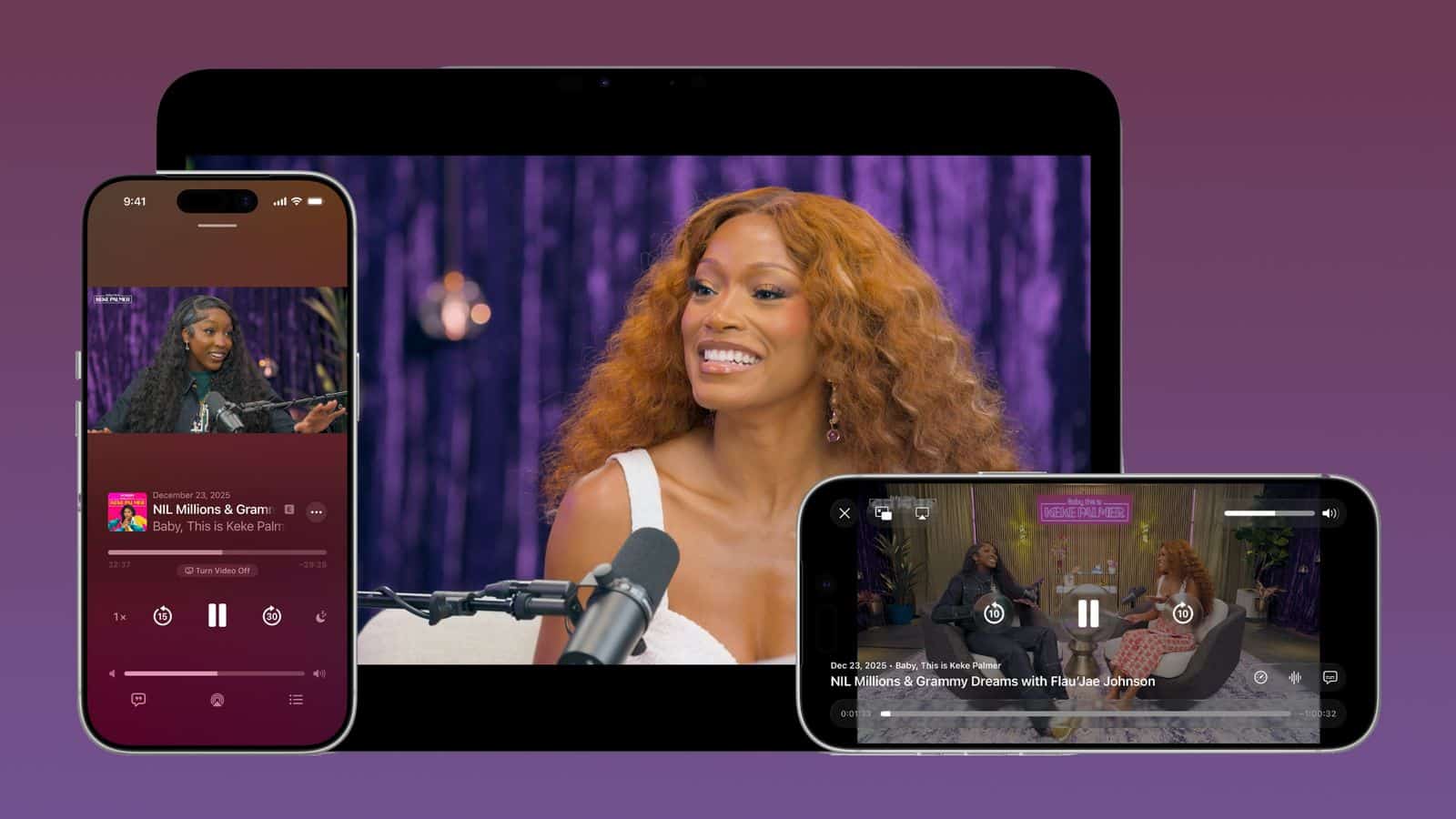
Apple Podcasts now lets you seamlessly switch between watching a video podcast and listening to its audio version.
Previously, the app supported video streaming, but now it also supports HTTP live streaming technology, which automatically adjusts video quality depending on network conditions.
Apple Music
Full-screen covers have been added to many albums and playlists, and the app now lets you view nearby concerts and tour dates for artists in your library.
Another update: Apple Intelligence has added a new feature called Playlist Playground to Music. It lets you create playlists based on instructions.
Wallpaper Gallery
The wallpaper settings section has been slightly redesigned, which is said to simplify the process of selecting images. The watchOS watch face gallery has been similarly redesigned.
Reminders
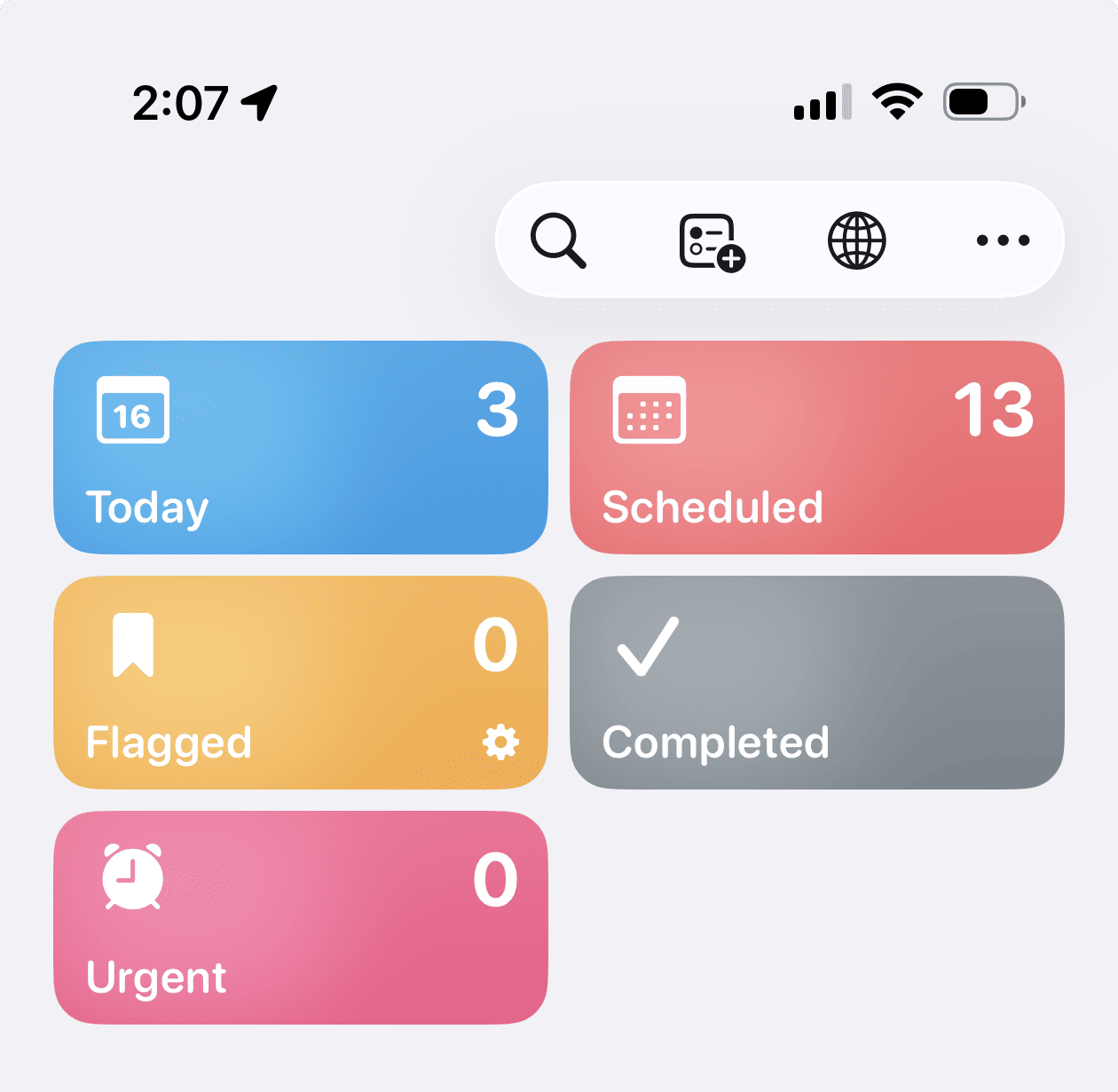
The Reminders app has a new “Urgent” section. This will display reminders that were set to “Urgent” when they were created. The “Urgent” feature ensures that reminders have an appropriate tone so you get a clear alert when a reminder is due. The app sets a special alarm for these tasks.
New Home Screen Widget
iOS 26.4 adds a new “Home Screen” widget that gives you quick access to your ambient music playlists in Apple Music.
App Store
The search bar has been moved back to the top of the interface. The search tab is also now integrated into the navigation bar at the bottom instead of being separated in its own floating circle.
Stolen Device protection
According to MacRumors, Stolen Device Protection is now enabled by default in iOS 26.4. When enabled, Stolen Device Protection requires biometric authentication when away from trusted places like home and work. It also includes a time delay for a second biometric authentication for certain sensitive actions.
Before iOS 26.4, Stolen Device Protection had to be enabled manually by iPhone users.
Other Changes:
- There is a new “Shortcuts” action for setting your iPhone’s charge limit, as well as removing and adding locations to Weather.
- iPadOS 26.4 adds the compact tab bar back in Safari.
- New icon for Freeform, as well as a new splash screen for Apple Creator Studio.
macOS 26.4 beta 1
- macOS can now limit the maximum battery charge, similar to the iPhone. Like iOS, you can set a limit between 80% and 100%. Apple notes that your Mac will still occasionally charge to 100% to “maintain accurate battery charge estimates.”
- macOS 26.4 introduced an announcement about the impending end of support for x86 code emulation in Rosetta 2. Once support ends, Intel-based applications will no longer run on Macs. Macs are expected to no longer support Rosetta 2 in macOS 28.
The exact release date for iOS 26.4 and other updates for all users has not yet been announced. iOS 26.3 with battery life optimizations was released in early February.
Credits:
Image: