












The latest Firefox beta, version 148, introduced a feature that allows you to completely disable all of the browser’s built-in artificial intelligence features. Once you turn on the switch, it remains active – even future updates won’t reset it.

Mozilla says that to protect privacy, all such Firefox features run locally, loading small AI models. The list of features is quite extensive: local translations, PDF image captions, AI-driven tab previews, and tab grouping suggestions.
This option is not yet available in the main browser – the current version is Firefox 147. The new version will be available to all users once it leaves beta.
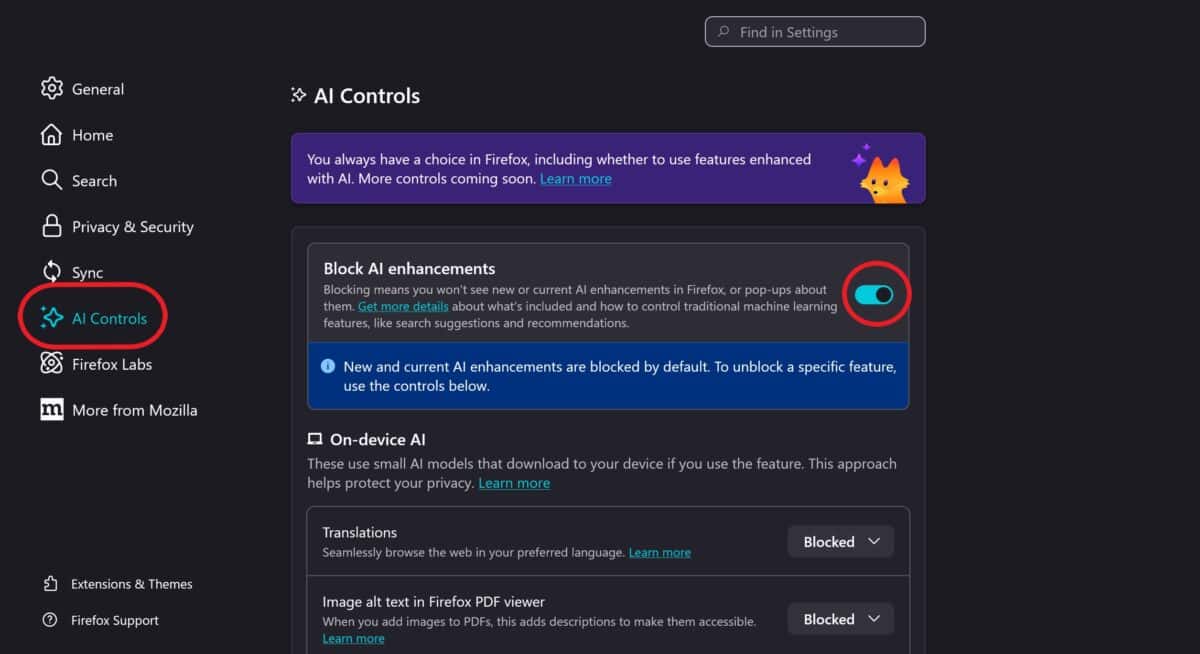
How to disable AI features:
Click the “burger” menu in the right corner of the screen -> click “Settings” -> search from the left menu “AI Controls” -> click the toggle “Block AI enhancements.”